
 Guide on How to Post on the Forum
how to post on the forums
first thing to do is to check to see if the post has already been posted by someone else if not lets get started.
go to the appropriate forum ie music,movies etc then click on the new post button
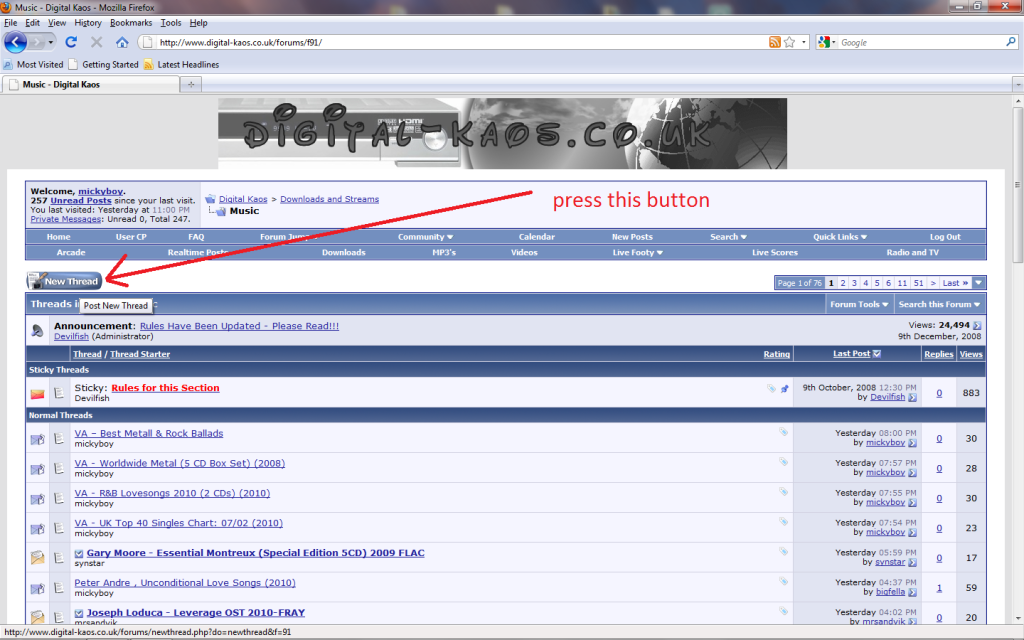
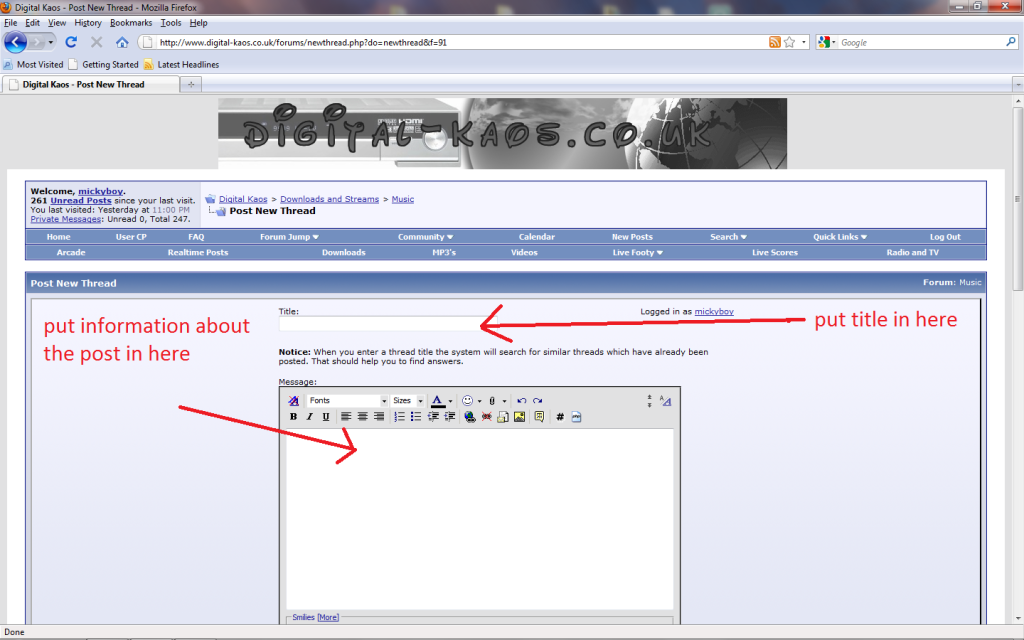
next you will see a box like this , put the title of the post in where it says title,then post some information about the post in the big box
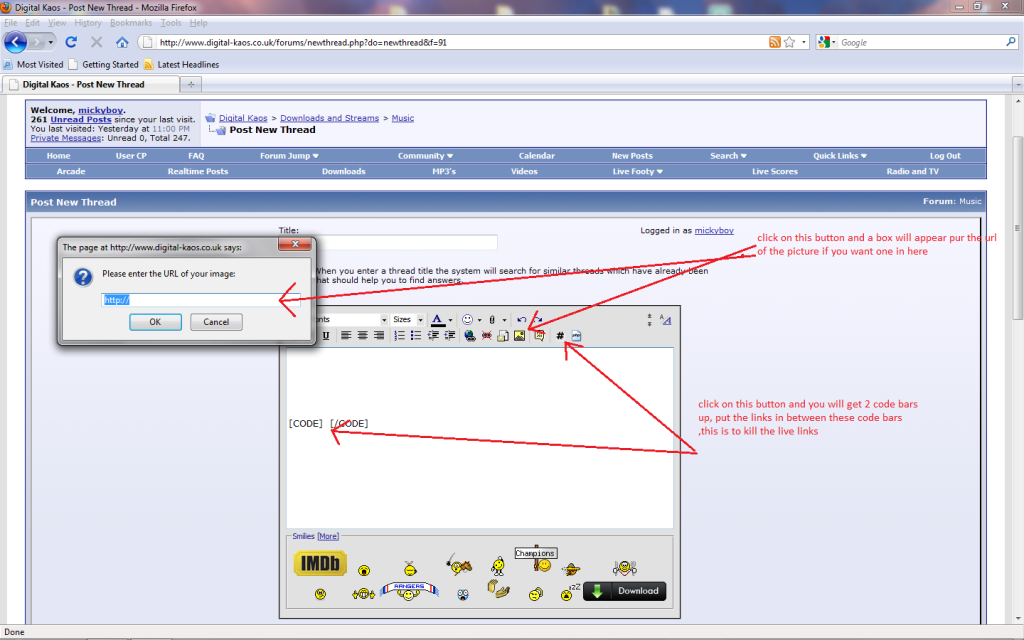
you could add a picture for the post by following the diagram below ,,also you will see a button to add code tags ,these code tags are used to kill the live links ,click on the code button as below and put your links in between the 2 code tags
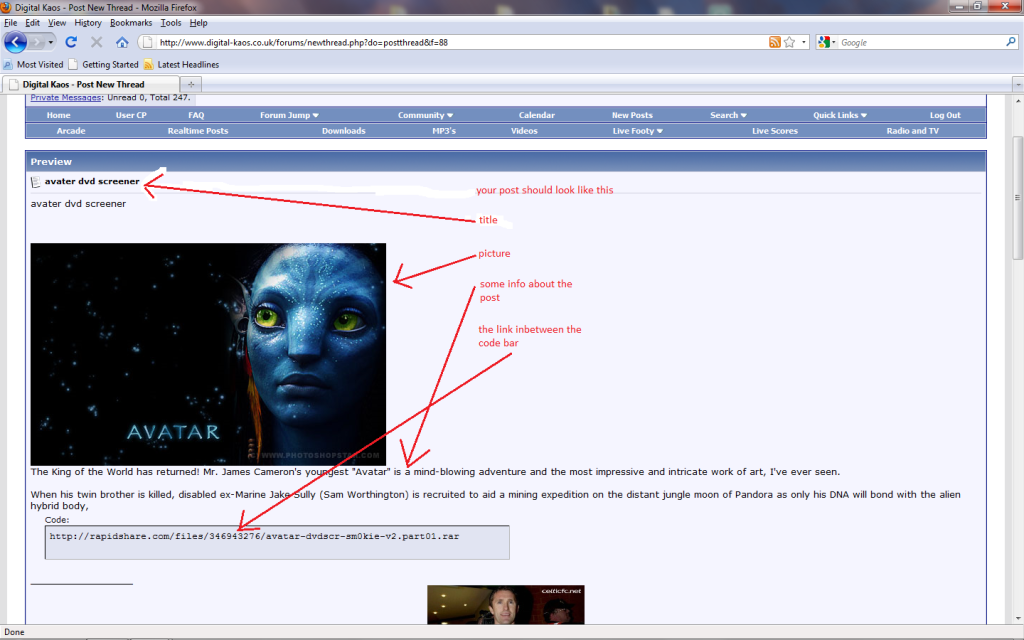
your finished post should look something like this below
first thing to do is to check to see if the post has already been posted by someone else if not lets get started.
go to the appropriate forum ie music,movies etc then click on the new post button
next you will see a box like this , put the title of the post in where it says title,then post some information about the post in the big box
you could add a picture for the post by following the diagram below ,,also you will see a button to add code tags ,these code tags are used to kill the live links ,click on the code button as below and put your links in between the 2 code tags
your finished post should look something like this below


 and paste.
Comment