-
Ripping Patching Games 0800 SSv2 Easy To Follow
Hey, listen i already used the 160K profile can i also put this on the same accountso the 160k profile this one?Leave a comment:
-
Read up on ap2.5. Topology data. Burner max fw
Sent from my GT-I9100 using TapatalkLeave a comment:
-
why do some games work, and others dont. Forza motorsport 4 wont recognizeLeave a comment:
-
-
-
This is pretty good.
Just thought with all the old 360 and pc bits I've got knocking around, I might make a dedicated machine. Doesn't have to look great. Just work.
When I get chance I'll have a look at the power connections and if I'm able to work it out I'll post in the next week for a bodge (cheap) lead for everyone.Leave a comment:
-
I just use my CK3 kit for powering the drive.
Or do you mean something like this here http://mrmodchips.co.uk/catalog/prod...8a8104e5159742
I would also recomend buying a spare drive so you dont have to take the 1 out of the xbox to do this, ebay is best bet about ?20Last edited by cunny; 28 December, 2010, 12:41.Leave a comment:
-
Excellent Tut.
The only thing missing is how to make a power lead for the XBOX 360 drive.
Has anyone got a diagram?
Then you won't have to take your 360 apart to use.
It's then just a case of adapting for a PC enclosure.
FrankLeave a comment:
-
Part 3
Now your iso's have been checked and patched and passed, they can now goto disc. Instal Imgburn (download from the link in post 1) an once installed locate your iso. You should have 2 files

Double click the .dvd file NOT THE ISO. This should launch imgburn, select desired write speed. Put a DVD +r DL into the burner and click write
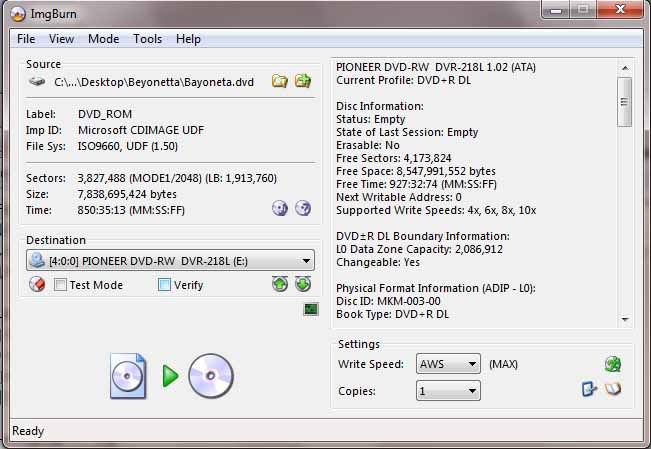
There you go once completed put into a XBOX 360 to try Last edited by cunny; 28 December, 2010, 10:39.
Leave a comment:
-
Part 2
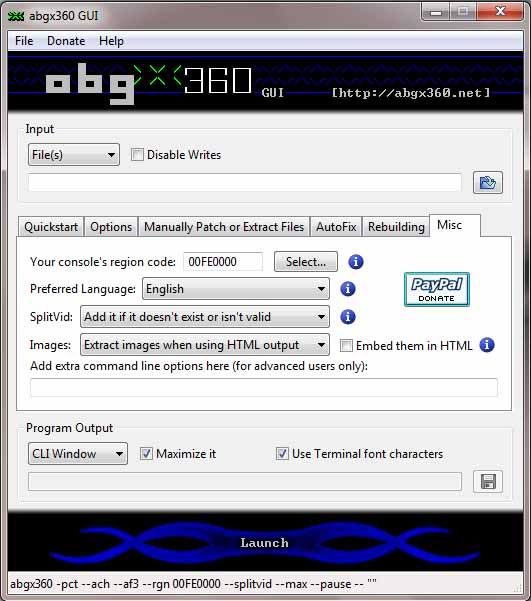
Goto file in ABGX and save settings. You should then click the launch button, you should get a back window appear. Like this 1
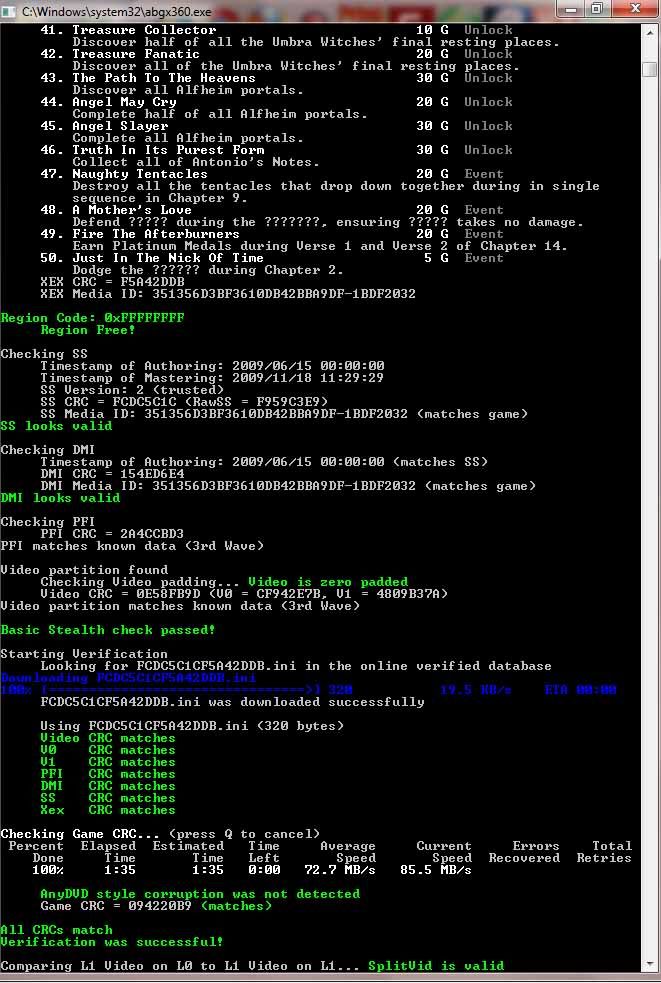
Note that all CRC's Match and that your SS version is 2. You can now go ahead and burn the game off. If you download your games, some will come with SSv1, i will also show yoou how to patch them.
You will need ABGX in the following settings
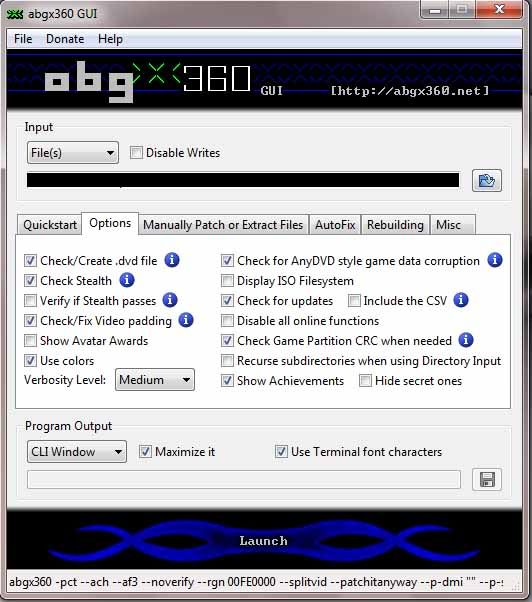
Now goto the ABGX Verified database here and search for your game. At the side of your game, there will be a number, click the number and then download the SS.bin and DMI.bin and save them somewhere safe. Then go back to ABGX and enter these settings
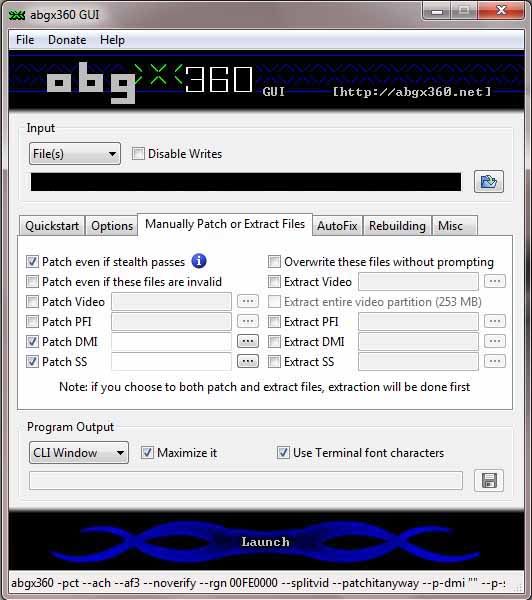
Under the patch SS and DMI browse to the files you just downloaded. The load the .iso you want patching, click launch again. All being well you will see the following screen with similar messages
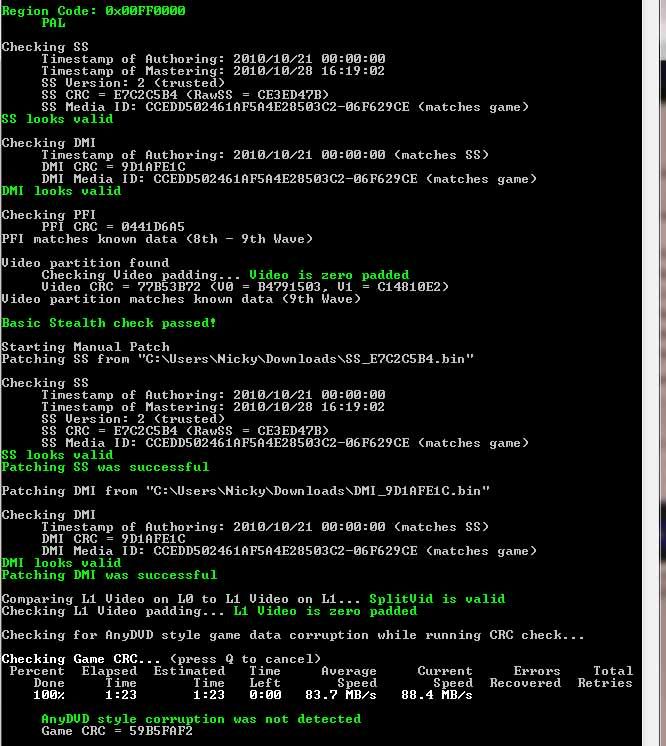
You can the reset your settings back to how they were before and have a final check that the SS is v2 and all game CRC's match. Your iso is now ready for going to discLast edited by cunny; 28 December, 2010, 10:34.Leave a comment:
-
Ripping + Patching Games 0800 SSv2 Easy To Follow
Ok guys you've heard of 0800 firmware for backing up XBOX 360 games, well this is how you do it. Also this method will give you SSv2 that is prefered by all newer firmware coming out.
Through this, I will show you how to setup to RIP a game to your PC, check and Patch it, then Burn it to Disc using a XBOX 360 DVD Drive & your PC.
First off you will need to flash a XBOX Drive with the 0800 FW that is located in this thread here Samsung BenQ and Liteon drives have the 0800 FW but nothing for Hitachi. As the drive is not going to be used inside a console, you wont need a 'key' inserted into the FW but, if your using the drive out of your own console and not a spare MAKE SURE YOU HAVE A BACKUP COPY OF YOUR FIRMWARE - LOST KEYS WILL RESULT IN BRICKED XBOX'S. There will only be yourself to blame, you were WARNED.
What you will need :
XBOX Drive flashed with either IX 1.6/1.61 or 0800- Samsung - BenQ - Liteon
Copy of XBOX Backup Creator - See attatchment
ABGX
Imgburn
Ok when your drive is flashed to 0800 FW your doing to have to connect it to your PC through a Compatable Chipset (Recomended VIA 6421) Once done you will need to check its seen by the PC. Eject the tray, power off the drive, insert tray manually to half way position, wait 30 seconds, power back on. Goto device manager on the PC and scan for hardware changes ensuring that your drive is now seen by the PC
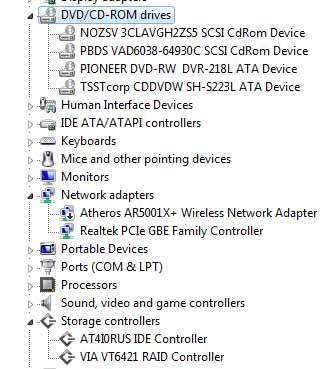
Note that the VIA Drivers are installed, this allows the PC to see the XBOX Drive (PBS VAD6038 under DVD Drives)
Next onto XBOX Backup Creator
Open XBBC and select the XBOX Drive
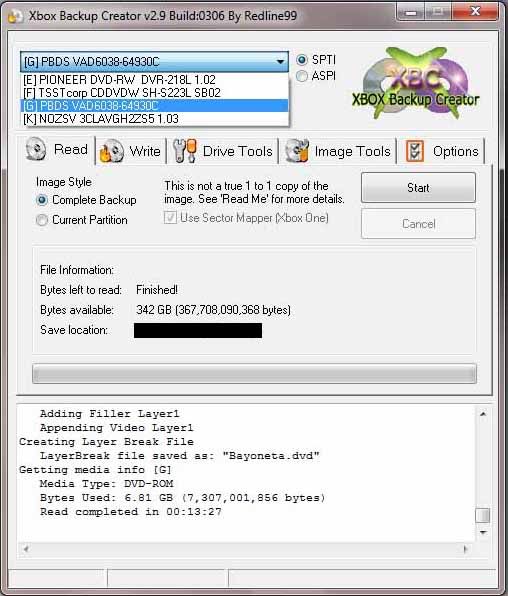
Insert your game and ensure Complete backup is selected, choose save location and filename, then click start
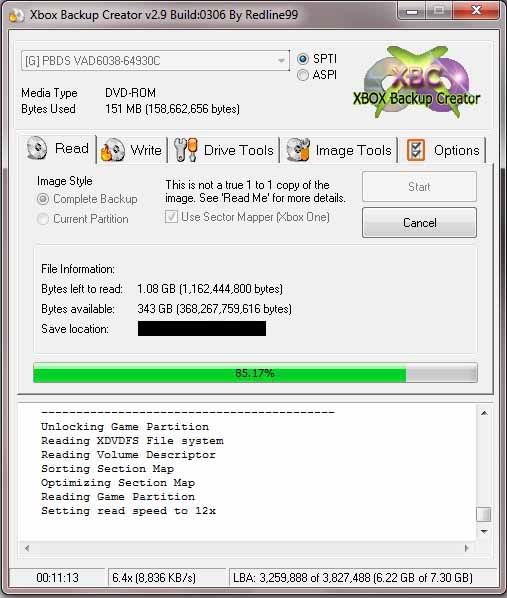
Wait approx 15 mins until complete
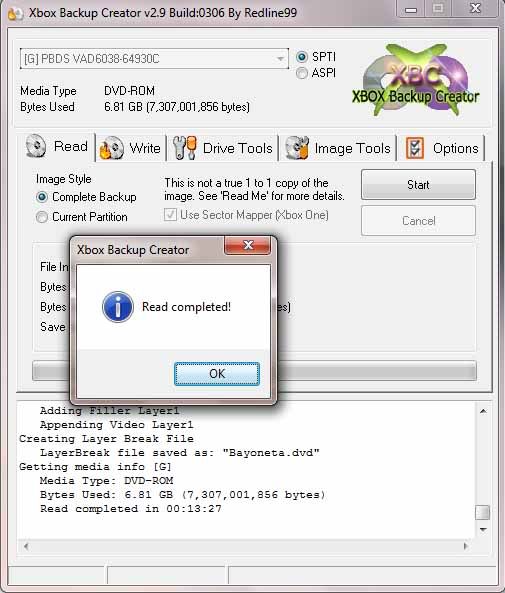
Now you have your backed up game you should now run it through ABGX
Download and instal ABGX and set it up with the following settings
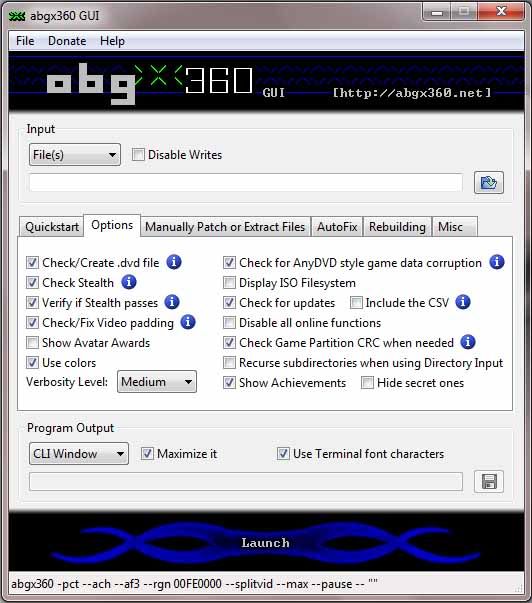
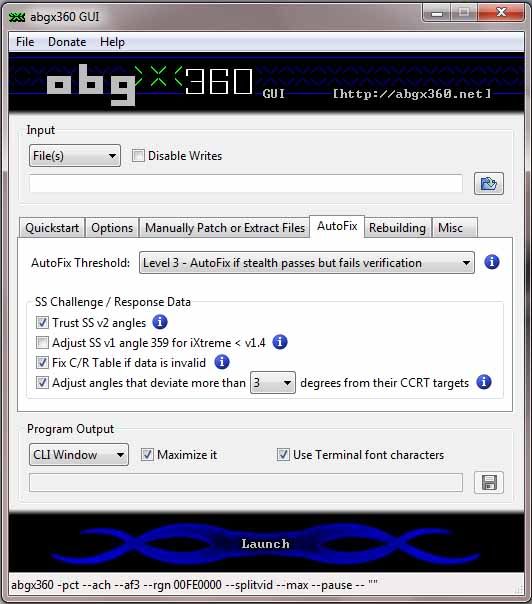 Last edited by cunny; 28 December, 2010, 12:42.


Leave a comment: