probs formatting micro sd card

Collapse
X
 
  • Time
  • Show
Clear All
new posts
  • pomponian
    Member
    • Dec 2008
    • 93

    #1

    probs formatting micro sd card

    recently removed a 16gb micro card out of a galaxy 2 without unmounting it first, tried putting it in another android phone(htc sensation) and card is not reconized by phone.tried formatting on PC ,removed some data but not all,PC is saying card is write-protected, cant seem to get around write protection,got rid of galaxy otherwise i would have tried unmounting it. HATE to have to throw card away as i cant use it
  • darcu5
    DK Veteran
    • Jun 2011
    • 944

    #2
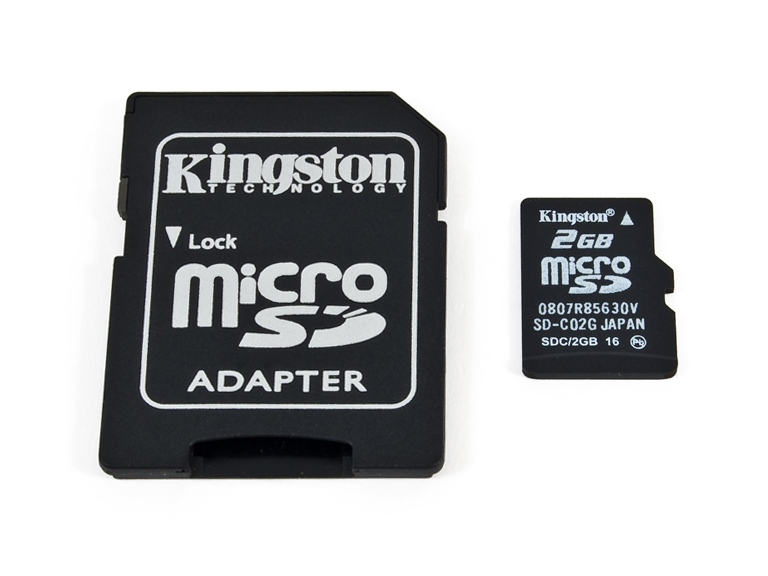
    if you slot the micro sd card into a bigger card then into the computer just check there isnt a slider on it that locks it up, mine has one on it and it slides to lock when i plug it in.
    If it isn't broke, don't try fixin it..!!!

    Comment

    • pomponian
      Member
      • Dec 2008
      • 93

      #3
      looked at that lock slide on adapter, but no lock slide on micro-card

      Comment

      • Jim.Mahoney
        V.I.P. Member
        • Feb 2010
        • 4249

        #4
        Originally posted by pomponian
        looked at that lock slide on adapter, but no lock slide on micro-card

        I've hundreds of the adaptors here (I'm a dealer) and they all have little slide locks on them...

        May be your adaptor is broken and the lock has got stuck on??

        See picture, the lock is on the left hand side in grey:

        Last edited by Jim.Mahoney; 21 November, 2011, 08:30. Reason: Added picture...

        Comment

        • pomponian
          Member
          • Dec 2008
          • 93

          #5
          what happened is, i never unmounted the micro sd card from the phone when i removed it, which is why i cant wipe it. there is a lock on the adapter card, but there is no lock on the micro-card itself

          Comment

          • darcu5
            DK Veteran
            • Jun 2011
            • 944

            #6
            it is the lock on the adapter that we are talking about m8,, it should still format when plugged into computer no matter what you did or didn't do with the other phone, make sure the adapter lock isn't broke and it is set to unlock, if you get no joy then try a different adapter if you know anyone with one you can try.
            If it isn't broke, don't try fixin it..!!!

            Comment

            • Jim.Mahoney
              V.I.P. Member
              • Feb 2010
              • 4249

              #7
              You would only get a format problem if you set a password on the microSD card. Find someone with another phone that accepts 8GB memory and format in their phone!

              Comment

              • pomponian
                Member
                • Dec 2008
                • 93

                #8
                Originally posted by Jim.Mahoney
                You would only get a format problem if you set a password on the microSD card. Find someone with another phone that accepts 8GB memory and format in their phone!
                tried that in an identical phone +3 other android phones, card not reconized in any of them, have also tried different adapters with same result(card is write-protected

                Comment

                • Jim.Mahoney
                  V.I.P. Member
                  • Feb 2010
                  • 4249

                  #9
                  Originally posted by pomponian
                  tried that in an identical phone +3 other android phones, card not reconized in any of them, have also tried different adapters with same result(card is write-protected

                  I'd suggest that the card is faulty possibly damaged by static when you removed it.

                  Comment

                  Working...