
A Cinematography and Still Photography calculator for Photographers, Directors of Photography, Camera Operators, Camera Assistants, VFX Supervisors, Script Supervisors, Gaffers, Grips, Motion Picture Editors, Production Designers, Art Directors, Film and Photography Students.
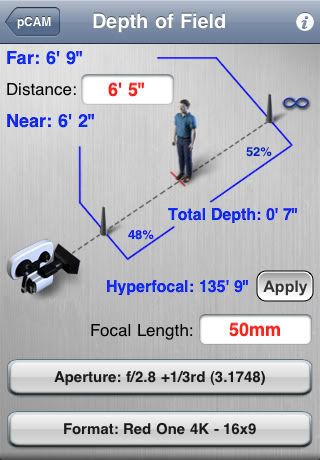
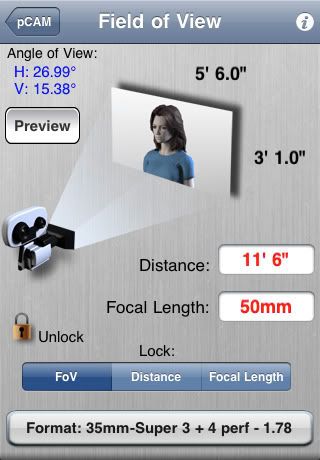
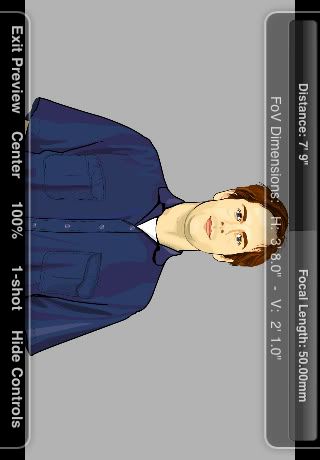
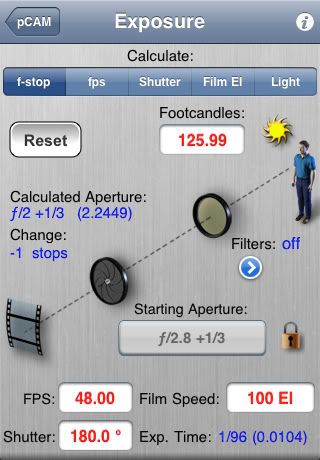
? Calculates: Depth of Field - Hyperfocal - Splits/Aperture Finder - Field of View (Picture Sizes) - Field of View Preview (with images to size shots) - Angle of View - Focal Length (lens) Matching - Exposure - Running Time to Length - Shooting to Screen Time - HMI (safe speeds and shutters) - color Correction (choosing color correction filters) - Diopter - Macro - Time Lapse - Underwater Distance - Scene Illumination (beam intensity) - Light Coverage (width/distance) - Mired Shift (with suggested color correction gels) - Conversion calculator - Siemens Star (Focus chart).
? Differs from other Photography apps because it has a graphical interface that is both easy to use and helps the user understand how each calculation is applied. It was designed specifically for professional photographers and filmmakers and has the correct Still, HD Video and Motion Picture Camera manufacturer?s specs for Image Size and Circle of Confusion.
? Features:
✓ Works on iPhone or iPod touch.
✓ Graphical interface.
✓ Calculates instantly and automatically as each entry is changed.
✓ Saves entries until you change or reset.
✓ Quick Gestural finger changes to Depth of Field Distance and Aperture inputs.
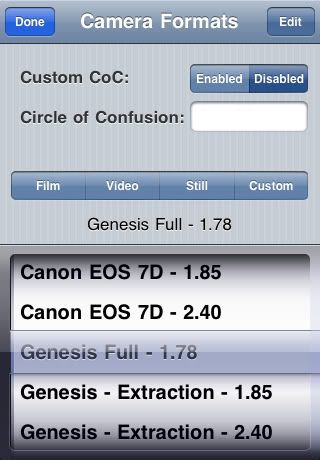
✓ Customizable, user-defined Camera Formats, CoC and Filters.
✓ Easy Picker wheels for Aperture, Camera Formats and Light Sources.
✓ Quick Buttons for Camera Formats, Jumps to ?Film,? ?Video,? ?Stills,? or ?Custom.?
✓ Global settings for Feet & Inches or Metric - EI or ASA - Foot-candles or Lux, Exposure defaults, Depth of Field nudging increments.
✓ Built-in Instruction Manuals on each screen.
✓ Motion Picture formats: 8mm - 16mm - 35mm - VistaVision - 65mm - 70mm - IMAX.
✓ Video formats: 1/4?, 1/3?, 1/2?, 2/3? CCD HD - 35mm Still Lens Adapters - Digital HD SLR?s, Super 35mm-sized HD - 65mm-sized HD.
✓ Still Camera formats: 35mm Standard - 4/3 - APS - Panoramic - DSLR - Digital backs - 6x6 cm - 6x7 cm - 4x5 - 5x7 - 8x10.
? Individual instructions can be accessed via the information "i" button at the top of each screen.
? A PDF version of the complete instruction manual is available on the pCAM website.
What's new in Version 3.0.2
? Added Video Camera formats for Canon 1D Mark IV, Red One Anamorphic and Red One 4.5K Widescreen.
? Added Still Camera formats for Panasonic Lumix GF1K, Canon EOS 40D and 12 other Canon EOS formats.
? Other minor tweaks.
Screenshots
the version attached is cracked
? Calculates: Depth of Field - Hyperfocal - Splits/Aperture Finder - Field of View (Picture Sizes) - Field of View Preview (with images to size shots) - Angle of View - Focal Length (lens) Matching - Exposure - Running Time to Length - Shooting to Screen Time - HMI (safe speeds and shutters) - color Correction (choosing color correction filters) - Diopter - Macro - Time Lapse - Underwater Distance - Scene Illumination (beam intensity) - Light Coverage (width/distance) - Mired Shift (with suggested color correction gels) - Conversion calculator - Siemens Star (Focus chart).
? Differs from other Photography apps because it has a graphical interface that is both easy to use and helps the user understand how each calculation is applied. It was designed specifically for professional photographers and filmmakers and has the correct Still, HD Video and Motion Picture Camera manufacturer?s specs for Image Size and Circle of Confusion.
? Features:
✓ Works on iPhone or iPod touch.
✓ Graphical interface.
✓ Calculates instantly and automatically as each entry is changed.
✓ Saves entries until you change or reset.
✓ Quick Gestural finger changes to Depth of Field Distance and Aperture inputs.
✓ Customizable, user-defined Camera Formats, CoC and Filters.
✓ Easy Picker wheels for Aperture, Camera Formats and Light Sources.
✓ Quick Buttons for Camera Formats, Jumps to ?Film,? ?Video,? ?Stills,? or ?Custom.?
✓ Global settings for Feet & Inches or Metric - EI or ASA - Foot-candles or Lux, Exposure defaults, Depth of Field nudging increments.
✓ Built-in Instruction Manuals on each screen.
✓ Motion Picture formats: 8mm - 16mm - 35mm - VistaVision - 65mm - 70mm - IMAX.
✓ Video formats: 1/4?, 1/3?, 1/2?, 2/3? CCD HD - 35mm Still Lens Adapters - Digital HD SLR?s, Super 35mm-sized HD - 65mm-sized HD.
✓ Still Camera formats: 35mm Standard - 4/3 - APS - Panoramic - DSLR - Digital backs - 6x6 cm - 6x7 cm - 4x5 - 5x7 - 8x10.
? Individual instructions can be accessed via the information "i" button at the top of each screen.
? A PDF version of the complete instruction manual is available on the pCAM website.
What's new in Version 3.0.2
? Added Video Camera formats for Canon 1D Mark IV, Red One Anamorphic and Red One 4.5K Widescreen.
? Added Still Camera formats for Panasonic Lumix GF1K, Canon EOS 40D and 12 other Canon EOS formats.
? Other minor tweaks.
Screenshots
the version attached is cracked


Comment