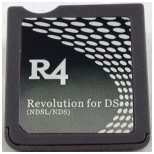
Oldschool NDSL R4

Collapse
X
 
  • Time
  • Show
Clear All
new posts
  • kirkyface
    Newbie
    • Dec 2012
    • 7

    #1

    Oldschool NDSL R4

    Hiya,

    Apologies if this has been asked alot and if I sound like a complete R4 spazz.

    I have an NDSL R4 Revolution 3 for DS R4 card for your usual run of the mill DS - it also says V1.22 when I start it up.

    I've had it for a couple of years and have never updated it. I've never had any problems getting games to work on it until recently. My most recent is with Lego LOTR, I copy it onto the card and just get a black screen when I load it with no progression.

    I've noticed alot of people going on about "Wood"(?) firmware update but have no idea where to download it and where exactly on the R4 files it goes?
    I've tried to download something and now it appears to have done something to it because when I start my DS is just says "loading" on a black screen and I can't even get onto my usual menu window.

    Sorry if it's a bit mind numbing but could someone literally go through step by step hat I need to download and how I do this please? Would be really appreciated!
    Last edited by kirkyface; 30 December, 2012, 20:28.
  • Frogger
    DK Veteran
    • Oct 2012
    • 422

    #2
    Originally posted by kirkyface
    Hiya,

    Apologies if this has been asked alot and if I sound like a complete R4 spazz.

    I have an NDSL R4 Revolution 3 for DS R4 card for your usual run of the mill DS - it also says V1.22 when I start it up.

    I've had it for a couple of years and have never updated it. I've never had any problems getting games to work on it until recently. My most recent is with Lego LOTR, I copy it onto the card and just get a black screen when I load it with no progression.

    I've noticed alot of people going on about "Wood"(?) firmware update but have no idea where to download it and where exactly on the R4 files it goes?
    I've tried to download something and now it appears to have done something to it because when I start my DS is just says "loading" on a black screen and I can't even get onto my usual menu window.

    Sorry if it's a bit mind numbing but could someone literally go through step by step hat I need to download and how I do this please? Would be really appreciated!
    Have you tried another trusted version of Lego?

    Try this one

    Dicastia: Nintendo 3DS/DS Scene: 6116 - LEGO: The Lord of the Rings (U)

    Comment

    • kirkyface
      Newbie
      • Dec 2012
      • 7

      #3
      Thank you but it doesn't work, even with this version.

      It's the same for LOTR, Harry Potter (1-4 & 5-7) and any other games I've tried recently.

      Comment

      • Frogger
        DK Veteran
        • Oct 2012
        • 422

        #4
        Originally posted by kirkyface
        Thank you but it doesn't work, even with this version.

        It's the same for LOTR, Harry Potter (1-4 & 5-7) and any other games I've tried recently.

        Theres a thank you button for thank yous.

        Anyhoo. Theres hope left. All you need to do is update the sd card contents so it works with the games. You will need to ID the r4 card for this purpose.

        And before updating the firmware, you will have to format your SD card in windows FAT 32 before copying the games of it to your PC.

        Is it this one?

        or is it this?


        What does it say on the card?

        Comment

        • kirkyface
          Newbie
          • Dec 2012
          • 7

          #5
          Apologies, thanks given

          Originally posted by Frogger

          It's this one but it says "Revolution 3" instead of just Revolution on it.

          Comment

          • Frogger
            DK Veteran
            • Oct 2012
            • 422

            #6
            Originally posted by kirkyface
            Apologies, thanks given


            It's this one but it says "Revolution 3" instead of just Revolution on it.
            From your reply I assume theres no ! on the card (exclamation mark)

            If not, then download This File

            Open file, extract folder to PC, then open the folder and copy the contents to the SD card after you have formatted and placed a working game on it as said above.

            Once done, load up DS with it in and see how you get on.

            Comment

            • kirkyface
              Newbie
              • Dec 2012
              • 7

              #7
              Originally posted by Frogger
              From your reply I assume theres no ! on the card (exclamation mark)

              If not, then download This File

              Open file, extract folder to PC, then open the folder and copy the contents to the SD card after you have formatted and placed a working game on it as said above.

              Once done, load up DS with it in and see how you get on.
              Nope, there's no !

              and after following the above I just get a black screen with "loading" and it won't let me any further.

              Comment

              • kirkyface
                Newbie
                • Dec 2012
                • 7

                #8
                Originally posted by Frogger

                Have just found I also have the above (except it doesn't have the web address/"games engine" on it, literally just says - R4, Upgrade, Revolution for DS (NDSL/NDS)

                Comment

                • Frogger
                  DK Veteran
                  • Oct 2012
                  • 422

                  #9
                  Originally posted by kirkyface
                  Nope, there's no !

                  and after following the above I just get a black screen with "loading" and it won't let me any further.
                  Loading. Thats a good sign, now were getting somwhere.

                  1. Download this attachment
                  2. Open the download and extract files to PC.
                  3. Open the folder where the files extracted to and copy the "_rpg" folder and "_DS.MENU.DATA" files to root of sd card. (One at a time)

                  That should be it working now.
                  Attached Files
                  Last edited by Frogger; 31 December, 2012, 00:21.

                  Comment

                  • kirkyface
                    Newbie
                    • Dec 2012
                    • 7

                    #10
                    :'( still just says "loading..."

                    Comment

                    • Frogger
                      DK Veteran
                      • Oct 2012
                      • 422

                      #11
                      Originally posted by kirkyface
                      :'( still just says "loading..."
                      Download the latest kernel for it and put on sd. This is dec 25th Kernel 2012.

                      Comment

                      • Frogger
                        DK Veteran
                        • Oct 2012
                        • 422

                        #12
                        Originally posted by kirkyface
                        :'( still just says "loading..."
                        Download the latest kernel for it and put on sd. This is dec 25th Kernel 2012.

                        Wood R4 1.56 Download-www.r4ids.cn

                        Comment

                        • kirkyface
                          Newbie
                          • Dec 2012
                          • 7

                          #13
                          still just "loading..."

                          Comment

                          • Frogger
                            DK Veteran
                            • Oct 2012
                            • 422

                            #14
                            Originally posted by kirkyface
                            still just "loading..."
                            What size of SD card though?

                            2gb is the best option always for this. In fat 2gb is the one that is proven to work.

                            Comment

                            Working...