Quick & Easy Cover Art

Collapse
X
 
  • Time
  • Show
Clear All
new posts
  • akhlaq768
    Top Poster
    • Oct 2009
    • 196

    #1

    Quick & Easy Cover Art

    i am using wbfs manager to get my games iso onto a portable hdd

    just wondering how do i set up those fancy cover arts?

    please can someone point me to the right direction for a quick and easy setup please

    thanks
  • akhlaq768
    Top Poster
    • Oct 2009
    • 196

    #2
    Any help on this guys...

    I'm using USB Loader GX, but none of the covers are working... how and where do i fix this?.... thanks

    p.s. what other wii channels can be installed, only have USB Loader on it right now

    Comment

    • ck-ok
      V.I.P. Member
      • Dec 2008
      • 2592

      #3
      Originally posted by akhlaq768
      i am using wbfs manager to get my games iso onto a portable hdd

      just wondering how do i set up those fancy cover arts?

      please can someone point me to the right direction for a quick and easy setup please

      thanks
      use wbfs to download covers,and out them in your covers folder on sd card
      sigpic

      Comment

      • akhlaq768
        Top Poster
        • Oct 2009
        • 196

        #4
        Originally posted by ck-ok
        use wbfs to download covers,and out them in your covers folder on sd card

        if the program downloads the covers... where do they get saved?? because i guess i need to place them on the sd card

        Comment

        • dogtoffee
          Junior Member
          • Jun 2009
          • 28

          #5
          Originally posted by akhlaq768
          Any help on this guys...

          I'm using USB Loader GX, but none of the covers are working... how and where do i fix this?.... thanks

          p.s. what other wii channels can be installed, only have USB Loader on it right now
          when you are in USB Loader GX click on the cover without the art and you will be given the option to download covers.

          you could install

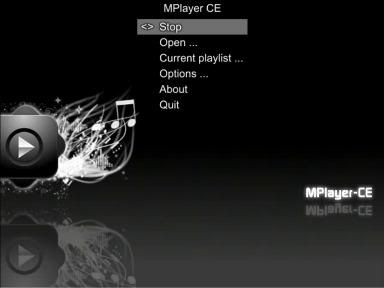
          Mplayer


          Play media from SD/USB or DVD


          Copy these into the "/apps" directory on your sd card

          Copy this to wad file on s/d and install via wad manager in hbc


          homebrew browser

          The Homebrew Browser allows you to download the latest homebrew applications, games and emulators all through your Wii. You don't need to take your SD card out. You don't even need a computer! You can also delete homebrew you no longer want.

          [ame=http://www.youtube.com/watch?v=Ic7bnxrmZj4&feature=player_embedded]YouTube - Homebrew Browser v0.3[/ame]

          unrar this to your apps folder
          Launch via the Homebrew Channel.

          Comment

          Working...