PS3Break review

Collapse
X
 
  • Time
  • Show
Clear All
new posts
  • zorro10
    Banned
    • Sep 2010
    • 15

    #1

    PS3Break review

    Please note: This is not a professional review , it is just my using experience. This review is not fully completed, i will test it in more games in future, so this review shall be updated. Please be patient in the process. Thank you!

    I ordered it online four days ago, and received yesterday, nice speed ,then i can't wait to test it, until now , it works well. Here are my using experience. Let's get it started!
    Firsly , let's take a look at its basics!
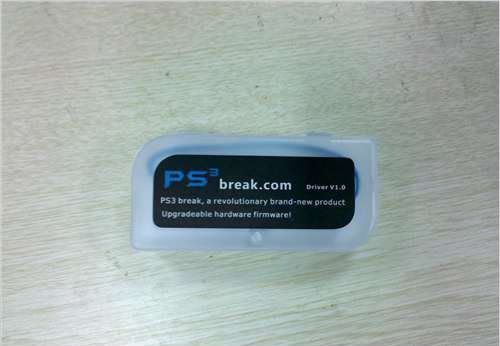

    What's Inside the Box?
    I was a little impressed by its outward appearance at first sight, it's a beautiful small delicate box,and it is half transparent. It looks like a small present.
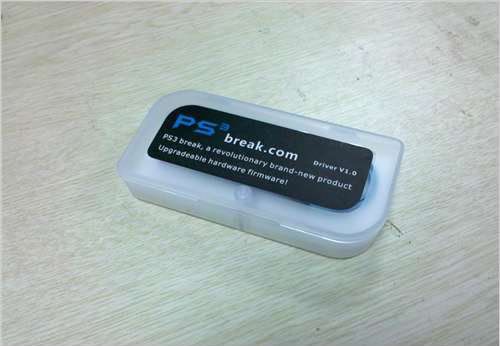

    Open the box, it is the PS3 break, and also connect to a soft blue string. The top and bottom of the box was mounted with a magnet, so it is stable when you close it.
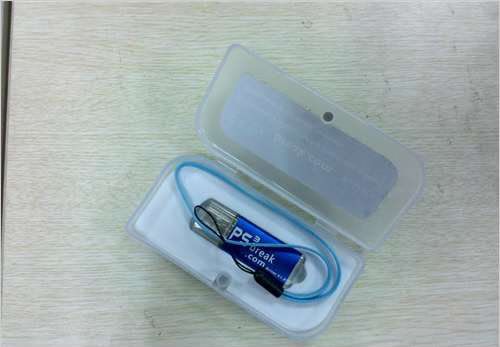

    Take out the PS3 break and check more details. There is a small button called "upgrade", plug the PS3 break into the computer and press the "upgrade" button, you can login the Upgrade Mode.
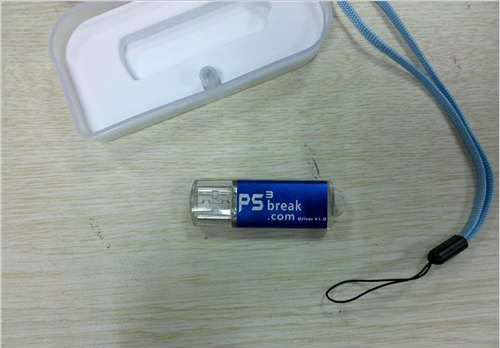

    When i connect it to my computer, it showed found new hardware wizard--?AT90USB162 DFU?,it is commonly used in all the computers. It is a little pity that so far the official didn't provide relevant drive, it is said that it will be released in a few weeks.
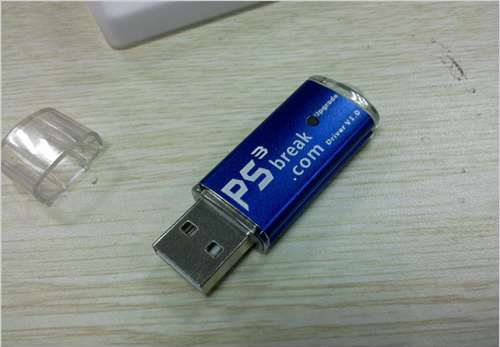

    After i was familiar with the items, it's time to test the game experience. I downloaded Demon's Souls, copied it to HDD and get ready to operate PS3.
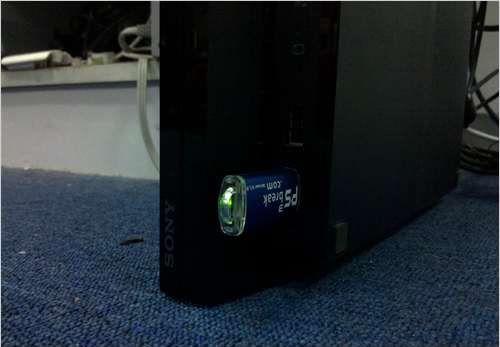
    Connect PS3 break to computer you can see the lamp always displaying, it means the PS3 works properly !
  • zorro10
    Banned
    • Sep 2010
    • 15

    #2
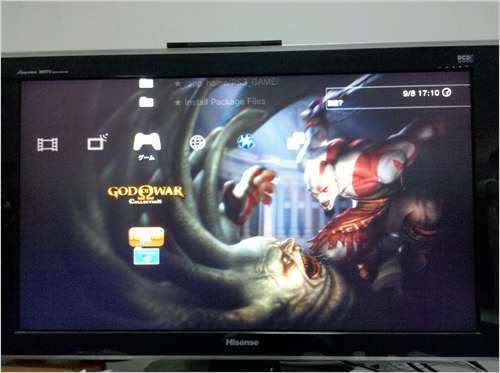
    login debug mode.


    put a <God of War I+II >


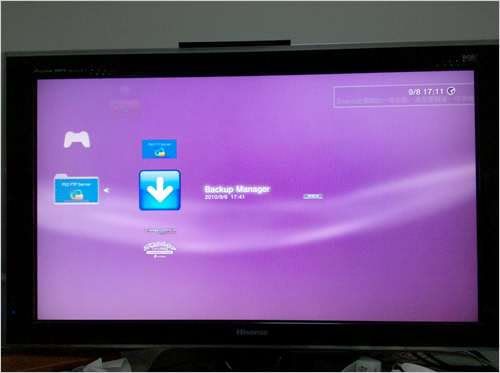
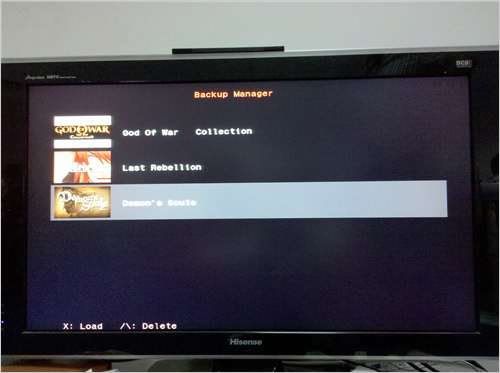
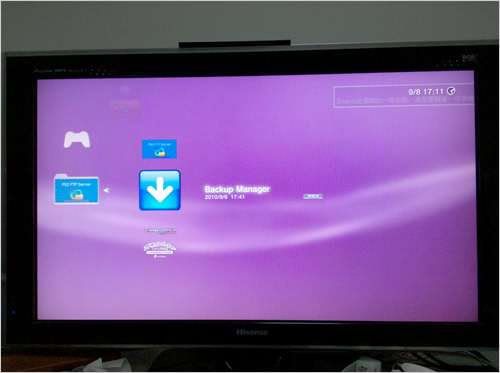
    Then start Backup Manager and choose Demon's Souls


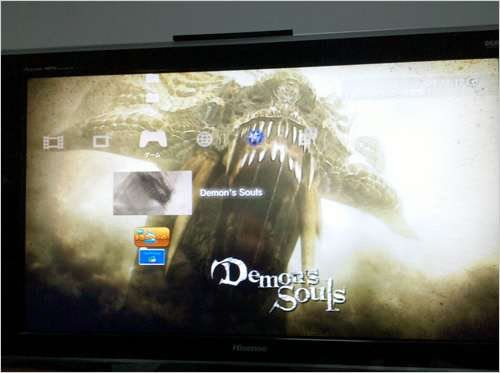
    so here is the picture of Demon's Souls


    Login the game


    I am gald to find that PS3 break was working smoothly throughout the test, even there wasn't any error condition when i switched power-on and off many times. Another surprize is that when i pulled out the PS3 break after loged in game ,it still worked, nothing changed. It is saable as usual, even faster and more efficient than CD-ROM .This is the highlight of the product , i think !
    Generally , i am satisfied with the PS3 break which i received, thanks to the break team. i will do more tests in the later time, and i will keep on updating, if you guys have any questions or other using experience, please feel free to share here. Appreciate your help ! I will try my best to do it well !
    Last edited by gmb45; 29 October, 2011, 04:14. Reason: hmmmmmmmmmm

    Comment

    • bailey09
      Member
      • May 2009
      • 89

      #3
      Originally posted by zorro10
      Please note: This is not a professional review , it is just my using experience. This review is not fully completed, i will test it in more games in future, so this review shall be updated. Please be patient in the process. Thank you!

      I ordered it online four days ago, and received yesterday, nice speed ,then i can't wait to test it, until now , it works well. Here are my using experience. Let's get it started!
      Firsly , let's take a look at its basics!


      What's Inside the Box?
      I was a little impressed by its outward appearance at first sight, it's a beautiful small delicate box,and it is half transparent. It looks like a small present.


      Open the box, it is the PS3 break, and also connect to a soft blue string. The top and bottom of the box was mounted with a magnet, so it is stable when you close it.


      Take out the PS3 break and check more details. There is a small button called "upgrade", plug the PS3 break into the computer and press the "upgrade" button, you can login the Upgrade Mode.


      When i connect it to my computer, it showed found new hardware wizard--?AT90USB162 DFU?,it is commonly used in all the computers. It is a little pity that so far the official didn't provide relevant drive, it is said that it will be released in a few weeks.


      After i was familiar with the items, it's time to test the game experience. I downloaded Demon's Souls, copied it to HDD and get ready to operate PS3.
      Connect PS3 break to computer you can see the lamp always displaying, it means the PS3 works properly !
      r u from the uk,

      Comment

      • DanXan
        Member
        • Sep 2009
        • 63

        #4
        Kids have updated the ps3 firmware does this still work or is it ~~~~ed ?

        Comment

        • dik
          DK Veteran
          • Apr 2009
          • 955

          #5
          Originally posted by DanXan
          Kids have updated the ps3 firmware does this still work or is it ~~~~ed ?
          Firmware 3.42 blocks it
          sigpic another happy customer

          Sent from my keyboard using fingers to type

          Comment

          • bailey09
            Member
            • May 2009
            • 89

            #6
            Originally posted by dik
            Firmware 3.42 blocks it
            but i think u can put it back 2 oringinal firware, factory reset

            Comment

            • relo2k
              Member
              • Nov 2009
              • 71

              #7
              Originally posted by bailey09
              r u from the uk,

              by the look of his tv model he is not from the uk.

              i am going to buy this dongle. hopefully it will work in uk ps3. should do as the ps3break.com site states it working on PAL ps3s

              Comment

              • DanXan
                Member
                • Sep 2009
                • 63

                #8
                Found this:

                How to Access Playstation Recovery Menu

                1. Turn off Playstation?3.
                2. Hold The power button down; The system will turn on and turn off once again.
                3. Once the System has been shutdown, re-press you finger until you hear 2 consecutive beeps
                4. When you hear the 2 beeps take finger off power button.
                5. You will be promted to plug in your controller via usb and then hit the PS button
                6. The Recovery menu will pop up.


                Supported Features of 2.50 Recovery Mode
                • The current Recovery Menu supports:
                  • Restart System:
                    • Restarts the PLAYSTATION?3 System.

                  • Restore Default Settings:
                    • Reset all system settings back to default.

                  • Restore File System:
                    • Checks for corrupt/missing system files.

                  • Rebuild Database:
                    • Rebuilds the OS for the PLAYSTATION?3.

                  • Restore PS3 System:
                    • Fresh restore; Deletes everything and starts from Scratch.

                  • System Update:
                    • Update the PLAYSTATION?3 System


                So it looks like i will be able to reset the firmware but how would i got about getting the one but last firmware back on to it? any ideas?

                Comment

                • paul_12345
                  DK Veteran
                  • Jan 2010
                  • 3074

                  #9
                  Originally posted by DanXan
                  Found this:

                  How to Access Playstation Recovery Menu

                  1. Turn off Playstation?3.
                  2. Hold The power button down; The system will turn on and turn off once again.
                  3. Once the System has been shutdown, re-press you finger until you hear 2 consecutive beeps
                  4. When you hear the 2 beeps take finger off power button.
                  5. You will be promted to plug in your controller via usb and then hit the PS button
                  6. The Recovery menu will pop up.


                  Supported Features of 2.50 Recovery Mode
                  • The current Recovery Menu supports:
                    • Restart System:
                      • Restarts the PLAYSTATION?3 System.


                    • Restore Default Settings:
                      • Reset all system settings back to default.


                    • Restore File System:
                      • Checks for corrupt/missing system files.


                    • Rebuild Database:
                      • Rebuilds the OS for the PLAYSTATION?3.


                    • Restore PS3 System:
                      • Fresh restore; Deletes everything and starts from Scratch.


                    • System Update:
                      • Update the PLAYSTATION?3 System


                  So it looks like i will be able to reset the firmware but how would i got about getting the one but last firmware back on to it? any ideas?
                  You've got no chance..

                  It means restore the settings not reset firmware to factory fitted firmware.

                  Comment

                  Working...