Can't shut down my computer (Linux Mint 9)

Collapse
X
 
  • Time
  • Show
Clear All
new posts
  • te_wik
    Newbie
    • Jul 2010
    • 6

    #1

    Can't shut down my computer (Linux Mint 9)

    Hello.

    I have e problem with my computer. I use Linux Lime 9 Isador.
    When I want to shut down I can't.

    The problem is;
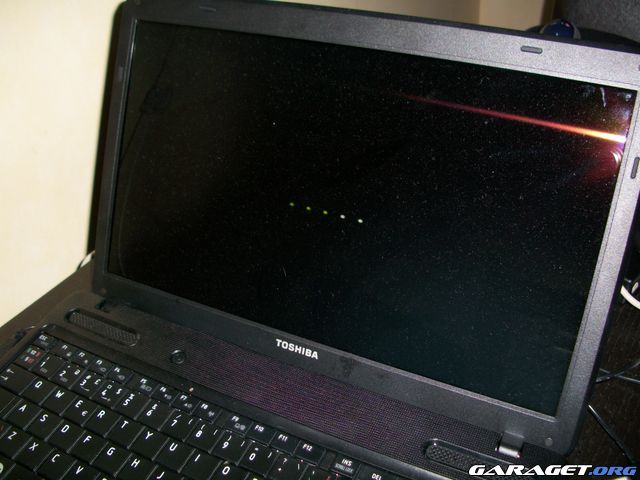
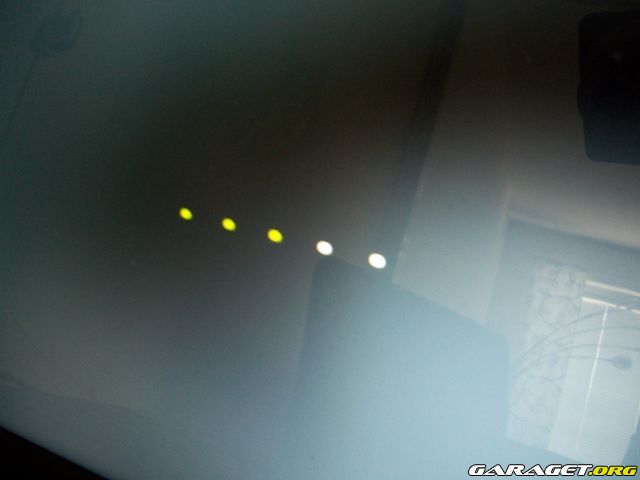
    Everything works as it should until the "dots" starts to be green. When it reaches to the third (3) dot it stops and the computer never shuts down.

    I also have Windows 7 installed and it shuts down just fine.

    Any ideas?

    Thanks.
    Last edited by te_wik; 20 July, 2010, 00:20.
  • Bass_Man
    Newbie
    • Jul 2010
    • 1

    #2
    Do you can take a picture ?

    Comment

    • te_wik
      Newbie
      • Jul 2010
      • 6

      #3
      Originally posted by Bass_Man
      Do you can take a picture ?

      Well, I tried. But it wasn't easy. :P


      /Tommy

      Comment

      • IMnobody
        Newbie
        • Aug 2008
        • 1

        #4
        You might check the Mint Linux forum, where a solution may already be available.
        I could be a glitch in the Linux version itself, which should be resolved in future versions. So, you might be stuck with this issue for a while.
        The good news is, you can simply power off the computer (unlike Windows), the only thing you lose, is any unsaved data.

        IM

        Comment

        • Canker_Canison
          V.I.P. Member
          • May 2010
          • 3905

          #5
          Be careful what you do with the computer if you just power off. Part of the shutdown process parks the HDD heads.

          Now, things may of progressed since I last looked into it. But if the Bios doesn't park it then any sudden movement or knocks to the case could cause surface damage on the disks.
          Canker

          "Animal, vegetable or mineral... I'll do anything, to anything, with anything"
          - The Baby Eating Bishop of Bath & Wells
          [COLOR=Green]

          Comment

          • james.farrow
            Junior Member
            • Jul 2008
            • 30

            #6
            try opening a terminal as root and type poweroff at the command prompt - see if that shuts it down.

            Comment

            • te_wik
              Newbie
              • Jul 2010
              • 6

              #7
              Originally posted by james.farrow
              try opening a terminal as root and type poweroff at the command prompt - see if that shuts it down.

              "Program "ROOT" isn't installed" it says.


              Mvh Tommy

              Comment

              • jeff114
                Junior Member
                • Jan 2010
                • 25

                #8
                Originally posted by te_wik
                "Program "ROOT" isn't installed" it says.


                Mvh Tommy
                sudo shutdown -h now ;-)

                Comment

                • te_wik
                  Newbie
                  • Jul 2010
                  • 6

                  #9
                  Originally posted by jeff114
                  sudo shutdown -h now ;-)

                  Still the same. No shutdown.

                  /Tommy

                  Comment

                  • nerwus
                    Newbie
                    • Feb 2010
                    • 12

                    #10
                    Linux have problem with your ACPI. CheckBIOS settings and also if this distribution handles your laptop correctly.

                    Comment

                    • jeff114
                      Junior Member
                      • Jan 2010
                      • 25

                      #11
                      Originally posted by te_wik
                      Still the same. No shutdown.

                      /Tommy
                      What is the last message after running shutdown command?

                      Comment

                      • Mafketel
                        Newbie
                        • Feb 2010
                        • 8

                        #12
                        Lol I thought it would be solved by now

                        Tommy U still use it ?

                        Anyway.... from the dots we do not know what to do.
                        From ur root does not exist comment I deduct ur not working on the terminal a lot
                        Anyway before you turn of your laptop try to go to the virtul terminal number one....
                        U do that by pressing
                        ctrl alt f1
                        you probably need to login there and don't worry if you don't see your pasword * appear if you type it will registered just hit enter after password.
                        Then type
                        sudo shutdown -h now
                        You will see a whole bunch of messages pass by and at some point it will stop or turn off.

                        Good luck

                        Comment

                        • te_wik
                          Newbie
                          • Jul 2010
                          • 6

                          #13
                          Originally posted by Mafketel
                          Lol I thought it would be solved by now

                          Tommy U still use it ?

                          Anyway.... from the dots we do not know what to do.
                          From ur root does not exist comment I deduct ur not working on the terminal a lot
                          Anyway before you turn of your laptop try to go to the virtul terminal number one....
                          U do that by pressing
                          ctrl alt f1
                          you probably need to login there and don't worry if you don't see your pasword * appear if you type it will registered just hit enter after password.
                          Then type
                          sudo shutdown -h now
                          You will see a whole bunch of messages pass by and at some point it will stop or turn off.

                          Good luck

                          Hallo.

                          Yes, a bunch of messages passes by (in the speed of light ) and then the green dots appear, 1-2-3 and then... nothing! See pics i posted earlier.


                          /Tommy

                          Comment

                          • te_wik
                            Newbie
                            • Jul 2010
                            • 6

                            #14
                            Originally posted by jeff114
                            What is the last message after running shutdown command?

                            I don't know, the messages runs so fast i can't see them.


                            /Tommy

                            Comment

                            • Mafketel
                              Newbie
                              • Feb 2010
                              • 8

                              #15
                              Did you try to go back to the console with ctrl alt f1 and the messages should be still there although shift page up does not work anymore.
                              Now please tell us what it says.

                              btw you could also look in var log messages or var log bootlog to see what is going on but sometimes you just need to see what is written on the console.

                              Comment

                              Working...