epson SX215 PAPER JAM

Collapse
X
 
  • Time
  • Show
Clear All
new posts
  • standarren
    DK Veteran
    • Jun 2008
    • 857

    #1

    epson SX215 PAPER JAM

    aftenoon all i have a epson SX215 that keeps saying paper jam but theres no paper jam any where is there a switch that i could check something i could clean like a sensor how does it tell it has a paper jam thanks guys
  • arbia39
    Newbie
    • Feb 2011
    • 4

    #2
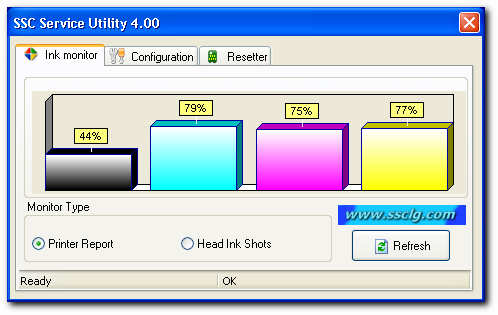
    I agree with all above statements and want to download software (v4.30)

    This menu can be accessed by right clicking on the application icon located in tray.

    Comment

    • standarren
      DK Veteran
      • Jun 2008
      • 857

      #3
      Originally posted by arbia39
      I agree with all above statements and want to download software (v4.30)
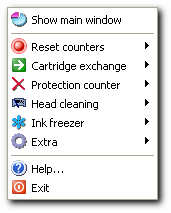

      This menu can be accessed by right clicking on the application icon located in tray.
      thanks mate having trouble though my printer isnt in the list

      Comment

      • cactikid
        V.I.P. Member
        • Sep 2008
        • 12017

        #4
        something that may get overlooked is thickness of paper used

        Comment

        • standarren
          DK Veteran
          • Jun 2008
          • 857

          #5
          Originally posted by cactikid
          something that may get overlooked is thickness of paper used
          tried thick thim and card all the same at the mo

          Comment

          • cactikid
            V.I.P. Member
            • Sep 2008
            • 12017

            #6
            paper not bent or twisted and guide not grabbing the sides?

            Comment

            • standarren
              DK Veteran
              • Jun 2008
              • 857

              #7
              Originally posted by cactikid
              paper not bent or twisted and guide not grabbing the sides?
              all seems as it should what i did notice though is it says p[aper jam after printing wierd

              Comment

              • evs
                Member
                • Nov 2010
                • 42

                #8
                Hi m8 try this.
                Go to start.
                Control panel.
                Devices and printers.
                Click on your printer and see if there is anything waiting to be printed. If so delete what ever
                there is and hopefully this will sort out the error message you?re getting. Hope this works.
                I intend to live forever - so far so good.

                Comment

                • jetdede
                  DK Veteran
                  • Nov 2010
                  • 410

                  #9
                  hi evs....

                  that's good answered....always found it same with my problem...just check the last printed..maybe not completed
                  DK is The Most Valuable Site my friend
                  Don't forget to do it

                  right place to share each other, not to

                  Don't do it when you sleep, will make big cost

                  Comment

                  Working...