SEVERAL OS ON ONE PC

Collapse
X
 
  • Time
  • Show
Clear All
new posts
  • systemlinux
    DK Veteran
    • Oct 2018
    • 815

    #1

    SEVERAL OS ON ONE PC

    Gentlemen can someone help me or guide me with my case, I tell you I have a laptop with 10 partitions that is equivalent to 100GB each (total hdd 1TB)


    In each partition, I have a windows 7 operating system and one of its partitions failed and I need to format that damaged partition by installing another operating system.


    the roll that when I get to the partition that indicates the installation cd of the operating system, it tells me through a notice that I cannot format it, because it is in MBR format and is a logical unit.


    Can somebody help me
  • leonWed
    Banned
    • Jan 2021
    • 1

    #2
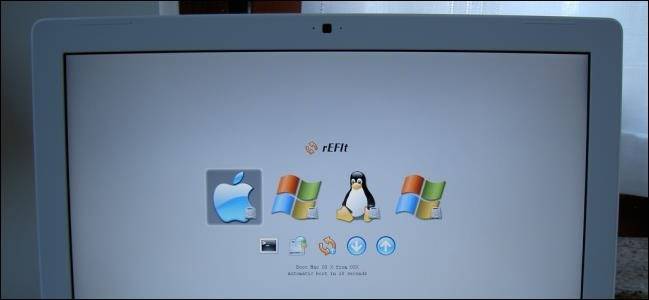
    It's called dual-boot. You can have multiple OS's on a single HDD given that you have made a partition for the OS that you want to install.
    If you want to know more, how to geek made a good explanation on what dual-boot is.

    Regarding your hdd, usually when a partition fails it means that the drive might be failing. It's best that you backup your files first then get a brand new one. After that, then you can install how many OS's you want.

    Links:
    What is dual boot.

    Setting up dual boot.

    Comment

    • crouchinggerbil
      DK Veteran
      • Aug 2020
      • 4053

      #3
      Originally posted by systemlinux
      Gentlemen can someone help me or guide me with my case, I tell you I have a laptop with 10 partitions that is equivalent to 100GB each (total hdd 1TB)


      In each partition, I have a windows 7 operating system and one of its partitions failed and I need to format that damaged partition by installing another operating system.


      the roll that when I get to the partition that indicates the installation cd of the operating system, it tells me through a notice that I cannot format it, because it is in MBR format and is a logical unit.


      Can somebody help me
      Sounds like you are using a uefi enabled os that uses GPT partition styling. That is different to MBR partition styling. Configure your boot media to use MBR partitioning.
      HaynesPro 2026 online + AC/ Delphi 2023.20 available, message for where to get them!

      Comment

      • dtip
        DK Veteran
        • Aug 2015
        • 1565

        #4
        also use EasyBCD software for configuring dual booting, i have 3-4 OS installed on each laptop, xp and win7 combined...

        Comment

        • crouchinggerbil
          DK Veteran
          • Aug 2020
          • 4053

          #5
          Originally posted by dtip
          also use EasyBCD software for configuring dual booting, i have 3-4 OS installed on each laptop, xp and win7 combined...
          He already has 10 partitions with win 7 already installed and one of the partitions failed. He does not need dual boot, and has nothing to do with dualboot.

          His error is that the partition is formatted to MBR. You will get this error if you are trying to install OS configured to use GPT partitioning.
          HaynesPro 2026 online + AC/ Delphi 2023.20 available, message for where to get them!

          Comment

          • systemlinux
            DK Veteran
            • Oct 2018
            • 815

            #6
            Thank you all very much for your advice.


            I understand that MBR only allows to use 4 primary partitions (limited) and GPT without limit (unlimited).


            The partition failed because I formatted it and when I try to install the new OS I get that warning, that the logical unit is in MBR format, the problem that if I went to GPT I would have to do it from 0 (format all the hdd).

            Comment

            • crouchinggerbil
              DK Veteran
              • Aug 2020
              • 4053

              #7
              Originally posted by systemlinux
              Thank you all very much for your advice.


              I understand that MBR only allows to use 4 primary partitions (limited) and GPT without limit (unlimited).


              The partition failed because I formatted it and when I try to install the new OS I get that warning, that the logical unit is in MBR format, the problem that if I went to GPT I would have to do it from 0 (format all the hdd).
              Exactly and you do not want to do that.

              Now if you had the extra backup space you could delete that partition back to RAW format, backup will then be 900gb, reimage back onto disk and you should be able to format the RAW part af the end of the disk. Complete pain in the ass. Unless you can reinstall whole disk which is another pain in the ass.
              Last edited by crouchinggerbil; 22 January, 2021, 14:41.
              HaynesPro 2026 online + AC/ Delphi 2023.20 available, message for where to get them!

              Comment

              Working...