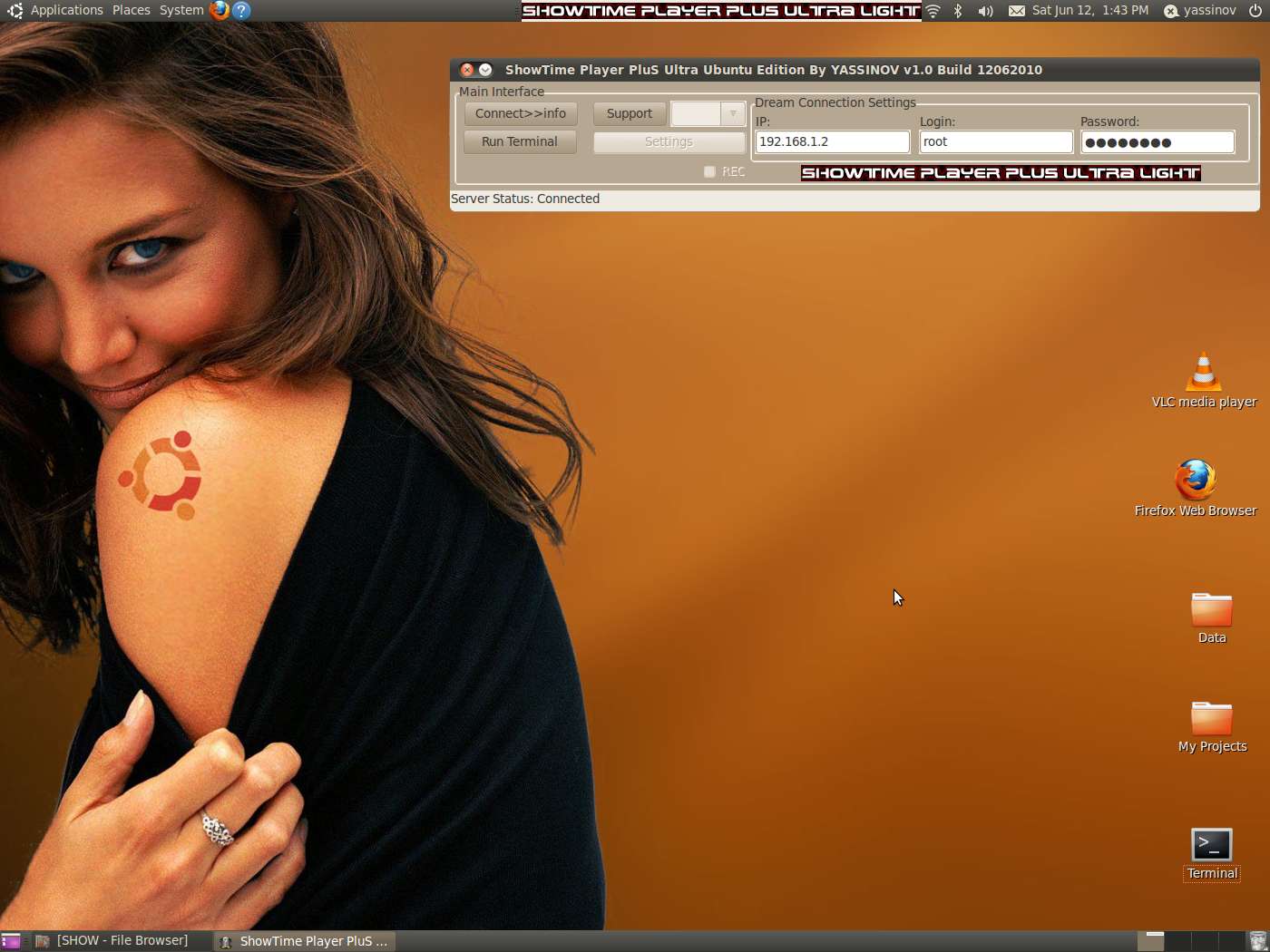
DB ShowTime Player PluS <<Ubuntu-Linux Edition>>
Collapse
X
 
  • Time
  • Show
Clear All
new posts
  • yassinov
    Member
    • Jun 2009
    • 78

    #1

    DB ShowTime Player PluS <<Ubuntu-Linux Edition>>


    DB ShowTime Player PluS Ubuntu-Linux Edition
    -New Generation of Multi-Platforms Developments Started !!
    -New Easy Video Player For Ubuntu-Linux users !
    -Remote Control Channels
    How use it :

    *Install VLC Player if not installed already ! ( From Ubuntu Software Center)

    or

    Code:
    [COLOR=Yellow][B]   Run Terminal 
       sudo apt-get update 
       sudo apt-get install vlc vlc-plugin-pulse mozilla-plugin-vlc[/B][/COLOR]
    * Put DB Device IP
    * Click Connect>>info
    * Remote Control to change channels
    *All is ready & Video auto start !

    Surprises never Stop ! & more Coming SoOn , Enjoy the Show !
    (small support from a small thanks)


    Download [Rapidshare]

    Download [MegaUpload]


    Best Regards , yassinov
  • oldeno
    Senior Member
    • Aug 2009
    • 274

    #2
    Hi Yassinov,
    First,thank you for your showtime player for windows.I've been using it quite often.it's really a great software.
    I have Ubantu 9.04 on my Laptop, so I want to try your software on my Linux.Can you point me where to find vlc and how to install.
    It's seem difficult to use this OS.Thank you in advance for your time.you're great man.

    Comment

    • tomthebomb1968
      Member
      • Nov 2008
      • 56

      #3
      Run Terminal
      sudo apt-get update
      sudo apt-get install vlc vlc-plugin-pulse mozilla-plugin-vlc

      Comment

      Working...