Commando 14.7 DM500 Release

Collapse
X
 
  • Time
  • Show
Clear All
new posts
  • lfc84
    Member
    • Aug 2008
    • 67

    #16
    Originally posted by PaphosAL
    you can if you wish add them to the top of the "Regional" bouquet by using the first channel name that appears in there as your target marker
    I've done that and I'm very pleased with the result. I can now see the four irish channels in the "Regional" Bouquet.

    I see that there are some sly sports channels in the "Regional" bouquet.

    To get rid of them do i just add the following to /var/tuxbox/config/local.scan:

    delete "1" "Sky"
    delete "2" "Sky Sports 1"


    Will this only remove them from "Regional".

    I'm using "1" for "Sky" since I think its the first occurence in any bouquet and "2" for "Sky Sports 1" since I dont want to remove it from the "Sports" bouquet
    Last edited by lfc84; 31 January, 2013, 22:45.

    Comment

    • smirnoff_rules
      V.I.P. Member
      • Mar 2008
      • 8603

      #17
      birmingham backup . info in text file
      Attached Files
      Last edited by smirnoff_rules; 1 February, 2013, 16:55.
      any information provided is for educational/experimental purposes only.

      Comment

      • lfc84
        Member
        • Aug 2008
        • 67

        #18
        I've read the info txt files.


        Q. Can I run Autobouquets on a daily Timer, while I'm still asleep?

        A. Certainly! Firstly, go BLUE > BLUE > BLUE > GREEN to make your EPG autoload
        60 seconds after boot. Now, say you get up at 07:00 each day. Create a new Daily
        Timer (BLUE > YELLOW) for 06:30 - Type: Run Plugin - toggle Schedule Timer from
        ONCE to DAILY - Select Plugin: AutoBouquets and finally- RED to Save Timer.
        Is this correct setting? If I'm in the correct place it doesnt mention the 60 seconds (just yes/no)

        Comment

        • mickb82
          Junior Member
          • Jan 2013
          • 35

          #19
          Originally posted by PaphosAL
          YES! The easiest way to sort this issue is to run the AutoBouquets NOW! plugin as a daily Timer at a time in the morning that suits you. After it's done it's work, an auto-Reboot occurs. Which invokes OUR audio.pid library and not the jumbled NAR . AC3 crap that Rupert shoves down the stream on a normal scan.

          Audio = English (not NAR or AC3) is the default setting for c14.7 and is a NEW feature.

          Cheers- AL
          Thanks for the reply Al.
          I checked audio settings and made sure AC3 was turned off, checked recording audio settings and made sure default audio was selected I then ran AutoBouqets NOW and the Auto EPG and scheduled 2 recordings to record through the night.
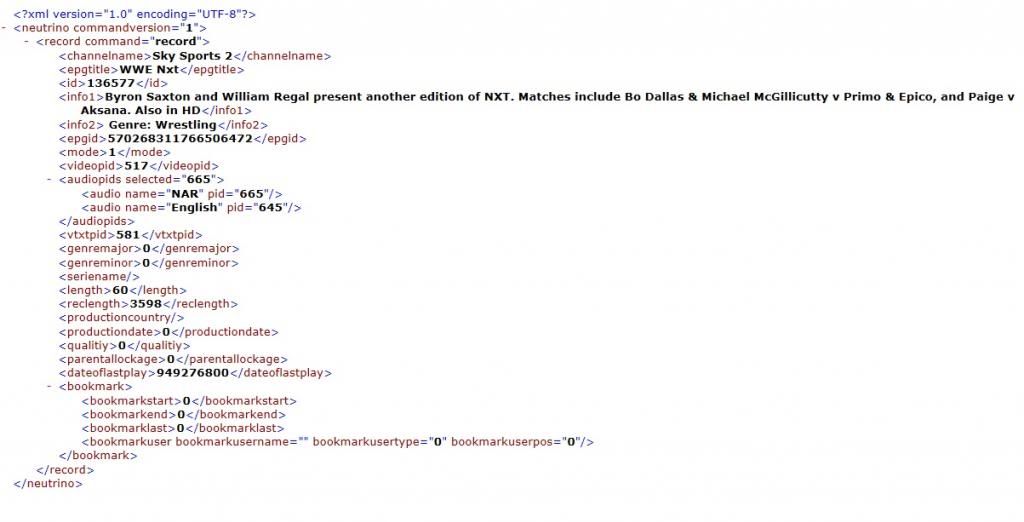
          I checked this morning and they have recorded but still won't play. I looked at the .xml file and it looks like its still recordeding the NAR audio stream. This is the extract from the .xml file

          <audiopids selected="655">
          <audio name="NAR" pid="655"/>
          <audio name="English" pid="645"/>
          </audiopids>

          Is there a way I can modify some files through FTP so that only the English audio is selected?

          Thanks again for your help,

          Mick"/>

          Comment

          • PaphosAL
            Old Git
            • Mar 2008
            • 1064

            #20
            @lfc84: Yes, that's the correct menu- just hit GREEN to make it Load GetEPG at Startup? > Yes
            There's only so much line length to play with in shellexec menus! But the 60 second delay IS mentioned in the docs. The reason for it is simple: after a reboot and when the picture, sound and infobar appear, there is still a lot going on behind the scenes in memory. A null-modem cable bootlog from HyperTerminal reveals this.


            So the delay is to let the box settle down before GetEPG and sectionsd start hogging the system.


            @mick: I've just checked this morning's AutoBouquets (and audio.pid) results in case Sly have changed any of the Movies audio sources since building our libraries. All the movies are on English, with none on NAR or AC3. So Christ knows where your recording setup is selecting NAR from?


            What is the xml file you refer to? Can we see a copy please?


            Cheers- AL

            Comment

            • PaphosAL
              Old Git
              • Mar 2008
              • 1064

              #21
              Originally posted by lfc84
              I've done that and I'm very pleased with the result. I can now see the four irish channels in the "Regional" Bouquet.

              I see that there are some sly sports channels in the "Regional" bouquet.

              To get rid of them do i just add the following to /var/tuxbox/config/local.scan:

              delete "1" "Sky"
              delete "2" "Sky Sports 1"


              Will this only remove them from "Regional".

              I'm using "1" for "Sky" since I think its the first occurence in any bouquet and "2" for "Sky Sports 1" since I dont want to remove it from the "Sports" bouquet
              Oh ye of little faith... I've just tested your theories with a custom AutoBouquets run and am delighted to confirm that it works spot on!

              delete "1" "Sky" <<--deletes the one and only occurrence in bouquets

              delete "2" "Sky Sports 1" <<-- deletes the 2nd occurrence in Regional only, keeping the one in Sports

              Cheers- AL

              Comment

              • mickb82
                Junior Member
                • Jan 2013
                • 35

                #22
                Originally posted by PaphosAL
                @mick: I've just checked this morning's AutoBouquets (and audio.pid) results in case Sly have changed any of the Movies audio sources since building our libraries. All the movies are on English, with none on NAR or AC3. So Christ knows where your recording setup is selecting NAR from?


                What is the xml file you refer to? Can we see a copy please?


                Cheers- AL
                Hi,

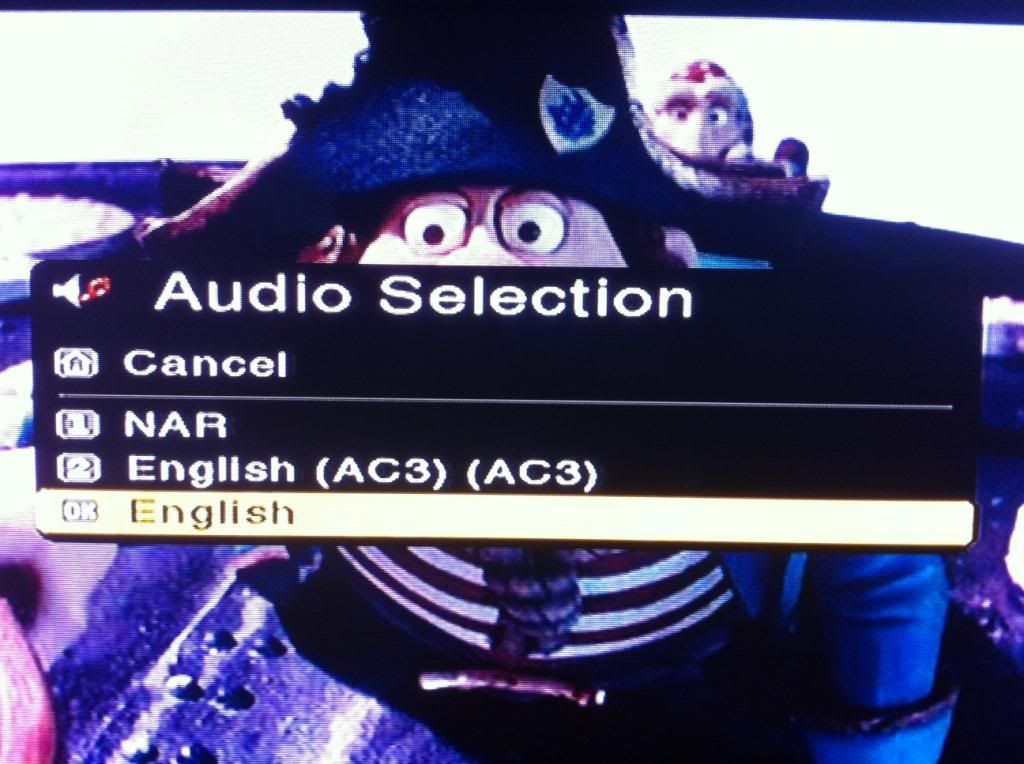
                I have just ran the AutoBouqets NOW and AutoEPG plug in and the audio options are show in the picture below:

                Comment

                • mickb82
                  Junior Member
                  • Jan 2013
                  • 35

                  #23
                  Originally posted by PaphosAL
                  @mick: I've just checked this morning's AutoBouquets (and audio.pid) results in case Sly have changed any of the Movies audio sources since building our libraries. All the movies are on English, with none on NAR or AC3. So Christ knows where your recording setup is selecting NAR from?


                  What is the xml file you refer to? Can we see a copy please?


                  Cheers- AL
                  An XML file is created every time I record something on my USB drive, this is a screen shot:


                  I have tried a few other things and when I do a manual record it selects English and the record works fine but when I do a scheduled record it selects NAR and the recordings won't play.

                  Is there a way to block or remove NAR option from scheduled recordings?

                  Thanks again for your help

                  Mick

                  Comment

                  • mickb82
                    Junior Member
                    • Jan 2013
                    • 35

                    #24
                    Originally posted by mickb82
                    Is there a way to block or remove NAR option from scheduled recordings?

                    Thanks again for your help

                    Mick
                    I have just connected to the box with the FTP client and opened var\tuxbox\config\neutrino.conf and in that file in the audio section it said default audio=1 but in the recording section it said default audio=0. I have changed the recording default to 1 and scheduled a recording for 5pm on sly sports so I will see if that makes any difference.
                    Last edited by mickb82; 1 February, 2013, 17:50.

                    Comment

                    • PaphosAL
                      Old Git
                      • Mar 2008
                      • 1064

                      #25
                      Originally posted by mickb82
                      I have just connected to the box with the FTP client and opened var\tuxbox\config\neutrino.conf and in that file in the audio section it said default audio=1 but in the recording section it said default audio=0. I have changed the recording default to 1 and scheduled a recording for 5pm on sly sports so I will see if that makes any difference.
                      Ah- you might have found the culprit by the SOUND of it (pardon the pun)


                      But you'll need to go Main Menu > Services (1) > Restart Neutrino (3) to make that hard edit in neutrino.conf become applicable, else the audio=0 for recordings (NAR) will still be in memory and will spoil your test, causing pulling out of hair, LOL!


                      Apart from that observation, good luck tonight! I just checked the available audio sources on Sly Sports and there are two: NAR and English - so your test should be a difinitive one.


                      If you get this working, and fancy writing a tute for it, we'll happily incdude it in online updates, credited to you of course! Lot's of peeps struggle in this area (which is one I've never even toyed with), so good things might come out of it!


                      Cheers- AL

                      Comment

                      • PaphosAL
                        Old Git
                        • Mar 2008
                        • 1064

                        #26
                        @mike: Just had a horrible thought... Did you edit neutrino.conf 'live' in the image using the internal text editor of your FTP program? If so, it might be corrupted with DOS/Windows EOL tags added.

                        RECOVERY:


                        BLUE > 1 for TuxCom
                        navigate to the neutrino.conf file
                        press 4 for Edit
                        if you see loads of [] square markers at the end of every line, oh oh...
                        (Linux doesn't like these)
                        press BLUE for the [to Linux format] tool
                        Voil?! All those corrupting codes vanish!
                        SAVE and exit TuxCom


                        and now restart Neutrino, phew...


                        Can you please post the two lines you're on about in that file? I think I see the one in the Recording section, but not the other


                        Cheers- AL

                        Comment

                        • mickb82
                          Junior Member
                          • Jan 2013
                          • 35

                          #27
                          Originally posted by PaphosAL
                          @mike: Just had a horrible thought... Did you edit neutrino.conf 'live' in the image using the internal text editor of your FTP program? If so, it might be corrupted with DOS/Windows EOL tags added.

                          RECOVERY:


                          BLUE > 1 for TuxCom
                          navigate to the neutrino.conf file
                          press 4 for Edit
                          if you see loads of [] square markers at the end of every line, oh oh...
                          (Linux doesn't like these)
                          press BLUE for the [to Linux format] tool
                          Voil?! All those corrupting codes vanish!
                          SAVE and exit TuxCom


                          and now restart Neutrino, phew...


                          Can you please post the two lines you're on about in that file? I think I see the one in the Recording section, but not the other


                          Cheers- AL
                          Well I have given up. Spend the last 4 hours trying everything, changed every audio related file through FTP, had to re-flash twice due to changing things I shouldnt have changed, tried every setting possible on the box. It records fine manually but whenever a timer is set it records NAR audio stream regardless of settings.

                          Comment

                          • PaphosAL
                            Old Git
                            • Mar 2008
                            • 1064

                            #28
                            Originally posted by mickb82
                            Well I have given up. Spend the last 4 hours trying everything, changed every audio related file through FTP, had to re-flash twice due to changing things I shouldnt have changed, tried every setting possible on the box. It records fine manually but whenever a timer is set it records NAR audio stream regardless of settings.
                            NEVER GIVE UP!!! I think you're trying to outsmart the box, and two reflashes suggests to me that you're fumbling around like a headless chicken, LOL! Try taking a more leisurely 'softlty softly catchee monkey' approach, like we do, m8...

                            Try once more, please, via the MENU system, it might just work?

                            MENU > Settings > Recording > BLUE (Default audio stream)
                            Down button to highlight 'Record standard stream'
                            Hit OK to toggle Yes to No (so now they all read No)
                            EXIT > RED (Activate changes)
                            EXIT > RED (Save settings)

                            and then try recording a sly sports prog again?

                            Because when I just tested this, I looked at neutrino.conf first on line #270:

                            recording_audio_pids_default=1

                            and after the above EXACT menu sequence, I now see this:

                            recording_audio_pids_default=0

                            But it might just have done it in a way that's been eluding your approach?

                            Good luck! Cheers- AL

                            Comment

                            • mickb82
                              Junior Member
                              • Jan 2013
                              • 35

                              #29
                              Originally posted by PaphosAL
                              NEVER GIVE UP!!! I think you're trying to outsmart the box, and two reflashes suggests to me that you're fumbling around like a headless chicken, LOL! Try taking a more leisurely 'softlty softly catchee monkey' approach, like we do, m8...

                              Try once more, please, via the MENU system, it might just work?

                              MENU > Settings > Recording > BLUE (Default audio stream)
                              Down button to highlight 'Record standard stream'
                              Hit OK to toggle Yes to No (so now they all read No)
                              EXIT > RED (Activate changes)
                              EXIT > RED (Save settings)

                              and then try recording a sly sports prog again?

                              Because when I just tested this, I looked at neutrino.conf first on line #270:

                              recording_audio_pids_default=1

                              and after the above EXACT menu sequence, I now see this:

                              recording_audio_pids_default=0

                              But it might just have done it in a way that's been eluding your approach?

                              Good luck! Cheers- AL
                              Thanks Al,

                              I have tried that along with all the other combinations of yes/no from the three options, works fine for normal manual records but scheduled records always revert to the NAR audio stream on sports and movies.

                              Ive been trying various other images today, non look anywhere near as good as commando but I seem to be having more luck with scheduled recordings on some of the other images available.

                              Ill keep playing around when I get chance and if all else fails ill just have to get the DVD recorder out of the loft!!

                              Thanks for your help.

                              Cheers Mick.

                              Comment

                              • PaphosAL
                                Old Git
                                • Mar 2008
                                • 1064

                                #30
                                Mike- have you tried a NO - YES - NO combination? We know that the first one switches standard (NAR) audio from 1 to 0 - Off.

                                But the second option- 'use alternative audio' looks interesting, given that the third option is AC3. When I swithed 'alternative to ON and saved, default audio pids for Recording in neutrino.conf now reads 2

                                My theory is that the only alternative audio to NAR and AC3 is the one you want- English! I cannot see any way in which recording manually and on a scheduled Timer should affect the source Audio used. But let's leave no stone unturned...

                                Please try that setting and save it twice, by activating it in the Recoding menu, then Red to save settings back in the Settings menu. Then set and save a dummy one-off timer recording for later today. Please attach your timerd.conf file 'as' timer.txt (to make it nice and easy).


                                It will be very interesting to see if there is any audio-related settings in there.


                                Cheers- AL

                                Comment

                                Working...