help with problem dm500s

Collapse
X
 
  • Time
  • Show
Clear All
new posts
  • mesmerized
    Member
    • Dec 2009
    • 64

    #1

    help with problem dm500s

    hi can someone help, ive got a dreambox dm500s yesterday it randomly kept showing no signal recieved. what can this be...?
  • mtv1
    The Stig PT
    • Apr 2008
    • 4413

    #2
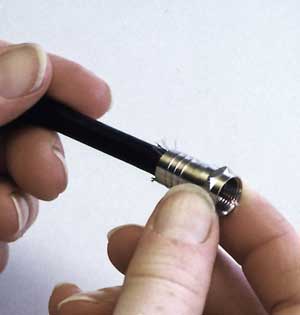
    check coax connections make sure no wires are tipping good luck

    >>>>>>>>>>Dreambox Tools<<<<<<<<<<

    Comment

    • mesmerized
      Member
      • Dec 2009
      • 64

      #3
      if they tip, i imagine that means touching the silver bit of the connector does that stop the signal?

      Comment

      • mtv1
        The Stig PT
        • Apr 2008
        • 4413

        #4
        if the smaller wires tip the main wire yes it does


        >>>>>>>>>>Dreambox Tools<<<<<<<<<<

        Comment

        • mesmerized
          Member
          • Dec 2009
          • 64

          #5
          does that cause it to send no signal... when i switch it on it says The GP says starting ccam then freezes on the gp screen and says no signal

          Comment

          • mtv1
            The Stig PT
            • Apr 2008
            • 4413

            #6
            it can do its where i'd start to check , the next step is to get rid of the gp image install jade pli found below using dream up also below guides are here Sat Dreambox but start by checking cable


            >>>>>>>>>>Dreambox Tools<<<<<<<<<<

            Comment

            • mesmerized
              Member
              • Dec 2009
              • 64

              #7
              will check tomorrow.. but if i upload the new image.. will i still be able to use the current line that i have installed .. or will this be deleted..??

              i cut the wire yesterday thinking it was that.. but it wasnt.. have you experienced it being stuck on the gp page

              Comment

              • mtv1
                The Stig PT
                • Apr 2008
                • 4413

                #8
                back up your cam cfg ie. save the line and paste it in the new cam cfg


                >>>>>>>>>>Dreambox Tools<<<<<<<<<<

                Comment

                • mesmerized
                  Member
                  • Dec 2009
                  • 64

                  #9
                  no idea how to do that.. ill check first if i get a signal then ill get back and find out how...Can't understand how it was working to not working at all or getting that no signal, i thought it might be the dish..

                  Comment

                  Working...
