will a factory re-set get rid of all problems

Collapse
X
 
  • Time
  • Show
Clear All
new posts
  • footycard steve
    DK Veteran
    • May 2009
    • 778

    #61
    should i switch it on again and press the f10

    Comment

    • Cod3waX
      Banned
      • Mar 2011
      • 1011

      #62
      During the computers initial boot the BIOS supplier will be displayed. If the OEM(Original Equiptment Manufacturer) logo splash screen is displayed, press the ESC key to see the boot up information. Press the Pause/Break key if text displays too fast. u press it again to unpause it too

      if f10 puts u into the bios then yes it will be a blue dos looking display

      Comment

      • Cod3waX
        Banned
        • Mar 2011
        • 1011

        #63
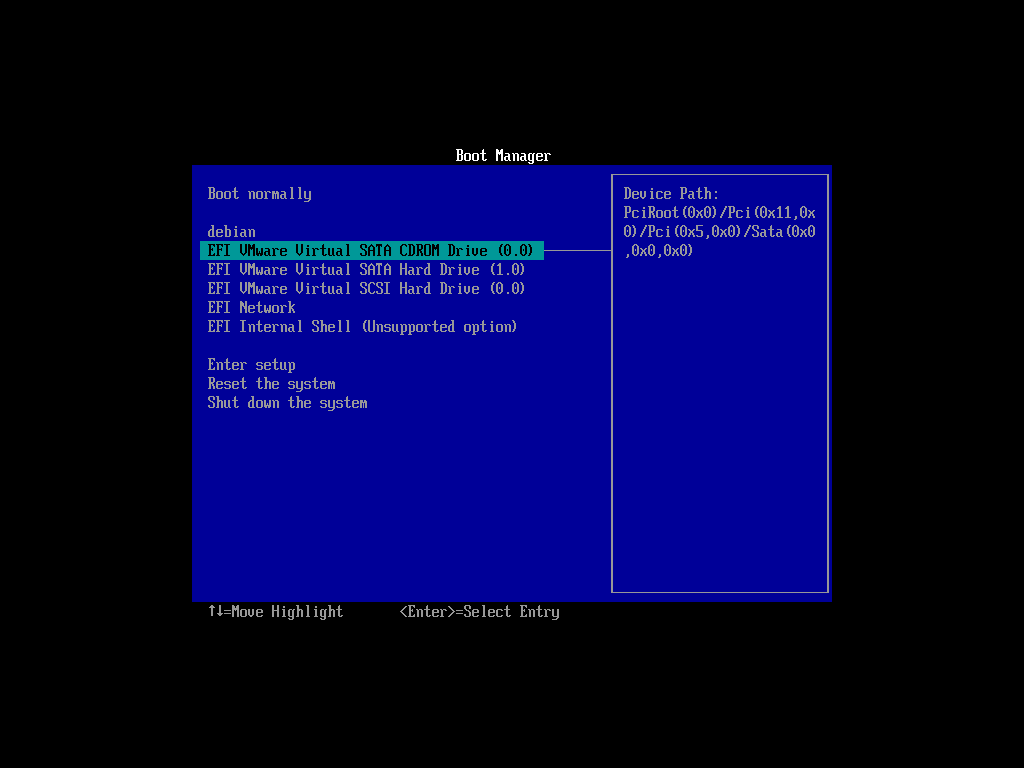
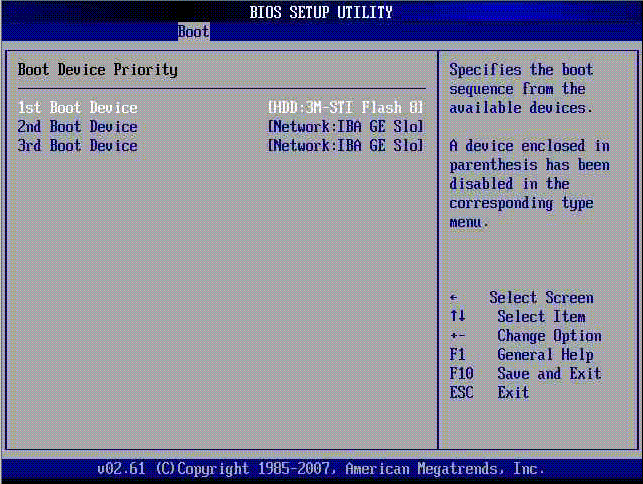
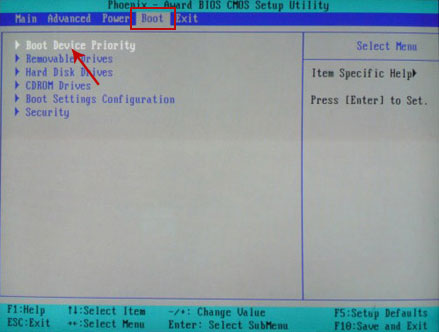
        here is a few images of what ur bios mite look like on the boot priority menu
        as u can see the dvd rom is set to number 1


        boot disk, windows 10 boot disk, winpe boot disk, bootable usb, bootable usb drive, reboot, how to reboot your computer, active boot disk, how to reboot in safe mode


        once ur done save and exit

        Comment

        • footycard steve
          DK Veteran
          • May 2009
          • 778

          #64
          switched on memory test running i pressed pause could the manufacturer be american megatrends ? (have logo to top left of screen and energy ally logo in top right),still paused have these options del:setup f12:network boot esc:skip memory test will keep paused until i get a reply

          Comment

          • Cod3waX
            Banned
            • Mar 2011
            • 1011

            #65
            press del .....

            then find boot device select and set the dvd rom to 1st boot buy using the arrow keys

            it should tell u on the right hand side how to navigate the controls
            Last edited by Cod3waX; 24 October, 2012, 16:24.

            Comment

            • footycard steve
              DK Veteran
              • May 2009
              • 778

              #66
              have amibios screen now

              Comment

              • footycard steve
                DK Veteran
                • May 2009
                • 778

                #67
                have options
                1) standard cmos features
                2)advanced bios features
                3)advanced chipset features
                4)power management features
                5)pnp/pci configurations
                6)itergrated peripherals
                7)pc health status
                8)frquency/voltage control
                these 8 have an arrow in front of them i also have couple of password options,load optimal defaults,load bios setup defaults,save &exit,exit without saving

                Comment

                • footycard steve
                  DK Veteran
                  • May 2009
                  • 778

                  #68
                  by the way if you want to name a time more suitable for you just let me know i get the feeling this could take some time.

                  Comment

                  • footycard steve
                    DK Veteran
                    • May 2009
                    • 778

                    #69
                    now on advanced bios at the bottom of the screen it now says boot devices,floppy function....

                    Comment

                    • Cod3waX
                      Banned
                      • Mar 2011
                      • 1011

                      #70
                      go into boot devices and they should be in order say 1 -5

                      whats the version of the bios aswell

                      it should say at the top of the screen

                      Comment

                      • footycard steve
                        DK Veteran
                        • May 2009
                        • 778

                        #71
                        have screen on advanced bios features
                        quick boot disabled (in red) SORRY ITS IN RED CAUSE THE ARROWS ON IT
                        1st boot device says cdrom: sony cd-rom cdu 5221
                        2nd boot device ide-0:maxtor 6e040l0
                        3rd boot device cdrom:sony cd-rom cdu5221
                        what do i need to do? i dont have the disc loaded by the way
                        Last edited by footycard steve; 24 October, 2012, 16:58.

                        Comment

                        • Cod3waX
                          Banned
                          • Mar 2011
                          • 1011

                          #72
                          load the disc

                          enable quick boot

                          have u got 2 cdrom drives on the comp?

                          mover the 3rd boot device to the second slot

                          and save and exit

                          this should spin the disc and promp u to press any key to start cd

                          Comment

                          • footycard steve
                            DK Veteran
                            • May 2009
                            • 778

                            #73
                            Originally posted by Cod3waX
                            go into boot devices and they should be in order say 1 -5

                            whats the version of the bios aswell

                            it should say at the top of the screen
                            bios version 3.31a

                            Comment

                            • Cod3waX
                              Banned
                              • Mar 2011
                              • 1011

                              #74
                              u need to make the word disabled change to enabled where is says quick boot

                              to do this just hit enter on the word

                              F10 is ur save and exit

                              Comment

                              • footycard steve
                                DK Veteran
                                • May 2009
                                • 778

                                #75
                                Originally posted by Cod3waX
                                load the disc

                                enable quick boot

                                have u got 2 cdrom drives on the comp?

                                mover the 3rd boot device to the second slot

                                and save and exit

                                this should spin the disc and promp u to press any key to start cd
                                only 1 cdrom drive as far as i know,how do i move option 3 up to 2?
                                so i'm on bios screen now then i load the disc i have enabled quick boot but dont know how to move option 3 to option 2

                                Comment

                                Working...